
Hyundai infotainment system screens are becoming a bigger part of the driving experience.
The simple shift is this: more dashboard space now belongs to software.
That can make maps, media, and vehicle information easier to scan when the interface is designed well.
It also means buyers should test the screen carefully, not just admire it in photos.
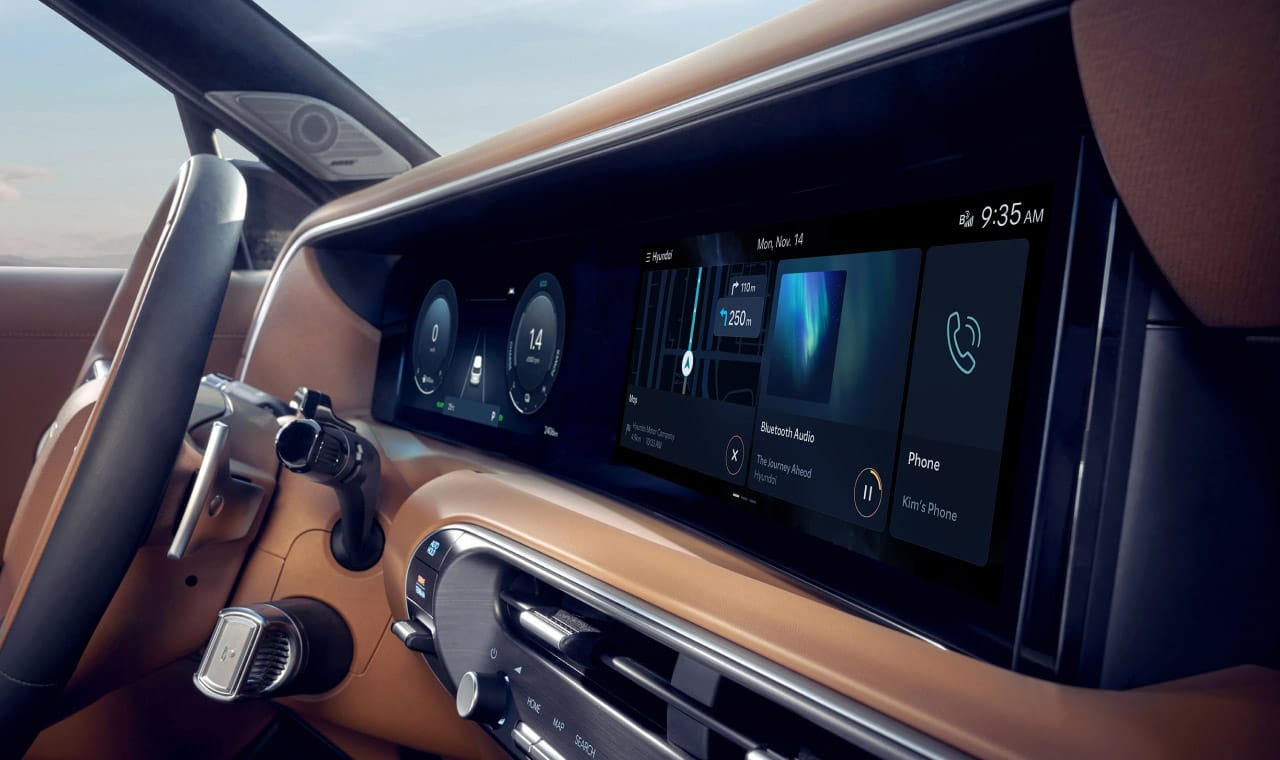
Hyundai’s all-new Palisade interior shows a panoramic curved display that combines driver information and infotainment functions in one wide dashboard area.
Fast Answer
A larger Hyundai infotainment system display can bring driver information, navigation, media, and phone features into one wider visual area. The practical change is not just screen size. It is how much the driver depends on software layout, menu logic, touch targets, voice controls, steering-wheel shortcuts, and the physical controls that remain outside the screen.
For shoppers, the best test is simple: use the system like an owner. Pair a phone, start navigation, change audio, adjust common settings, move between day and night views, and see how quickly the screen returns to the task you actually need.
Why A Massive Screen Matters
A wide dashboard display changes where attention goes inside the car. In older cabins, the instrument cluster, center screen, climate panel, and physical buttons often felt like separate zones. A panoramic display can make the cabin feel cleaner and more connected, but it can also concentrate more daily tasks in one software-driven surface.
That matters because drivers do not use infotainment in quiet showroom conditions. They use it while parking, leaving a driveway, following navigation, answering a call, or switching audio. A screen that looks impressive when parked still needs to be readable, predictable, and easy to recover from when the driver makes a wrong tap.
The size of the display is only one part of the experience. The clearer question is whether the system helps the driver handle common tasks with fewer pauses.
How The Hyundai Infotainment System Fits Into The Cabin
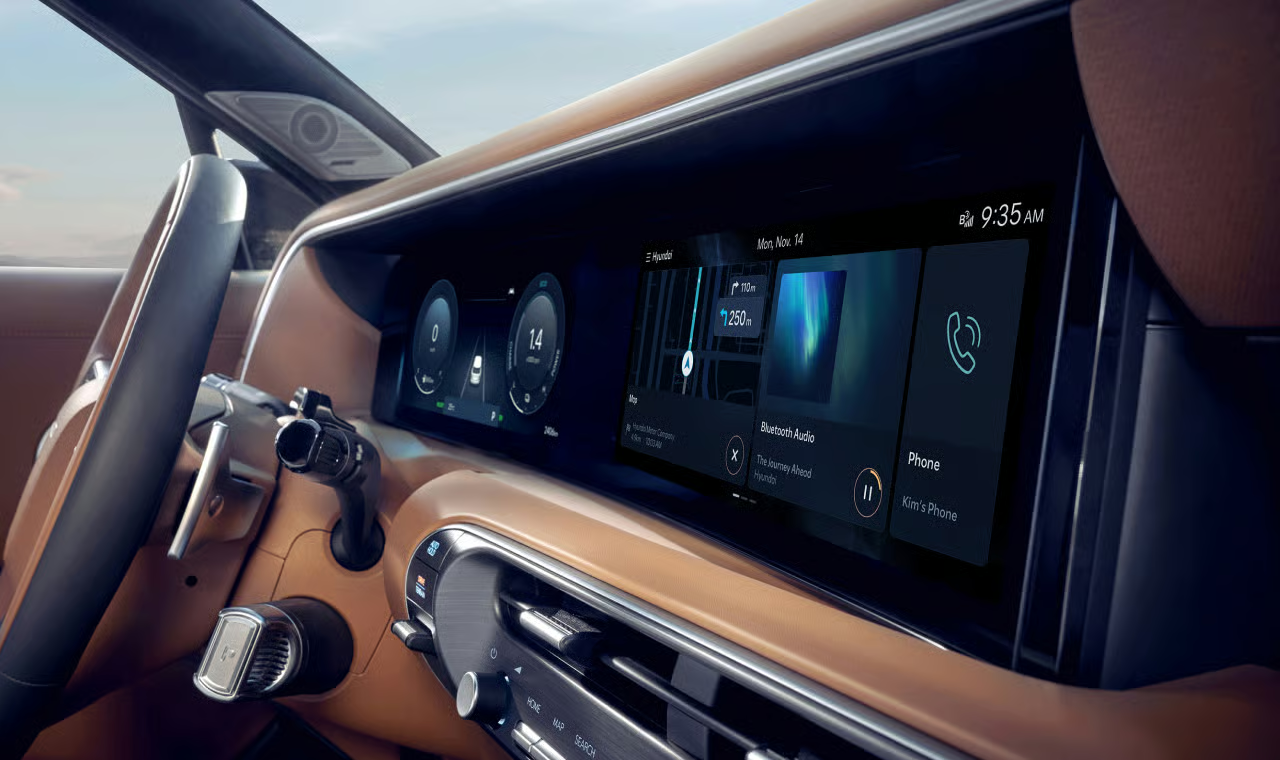
The featured Hyundai interior image shows a panoramic curved display across the dashboard area. In that kind of layout, the driver information area and infotainment area feel visually connected, even when they serve different jobs.
The driver-facing side usually supports quick-glance information such as speed, warnings, and vehicle status. The center area is where maps, audio, phone projection, vehicle settings, and connected features usually compete for attention. When both areas share one wide design language, the car can feel more modern and less cluttered.
That cleaner look raises the stakes for the interface. A large screen can show more information, but more information is not automatically more helpful. Good infotainment design makes the next action obvious. Weak design makes the driver hunt through attractive menus.
What To Test Before You Judge It
Start with the tasks you would use every week. Do not begin with the flashiest screen animation. Begin with the routine.
Pair your phone if the vehicle and phone support the connection method you want to use. Open navigation. Change the audio source. Adjust the volume. Return to the home screen. Look for the climate controls you use most. Try the steering-wheel controls. Then repeat one or two of those actions while the map is active.
Those small tests reveal more than a spec sheet. They show whether the screen is easy to read, whether the touch targets feel comfortable, and whether the system makes you remember where everything lives.
A practical test drive should include these checks:
- Can you reach the main tiles or menus without leaning forward?
- Does the screen remain readable in bright light?
- Are the most common controls available with one or two obvious actions?
- Can you switch between navigation, audio, and phone features without losing your place?
- Do physical buttons, knobs, or steering-wheel controls cover the actions you prefer not to handle on a screen?
What A Bigger Screen Does Not Guarantee
A massive display does not automatically mean a better Hyundai infotainment system. It can improve visibility and reduce dashboard clutter, but only if the software is organized around real driving use.
A bigger screen can still feel distracting if simple tasks are buried. It can still feel slow if transitions lag. It can still frustrate owners if phone projection behaves inconsistently, if menus change after updates, or if important controls depend too heavily on touch input.
So the better question is not how large the screen looks. The better question is whether you can complete your common tasks quickly and confidently.
Common Mistakes When Comparing Car Screens
The first mistake is treating screen size as the whole story. Size helps with map visibility and split-screen layouts, but it does not replace clear software design.
The second mistake is ignoring physical controls. Some drivers like clean dashboards. Others want a dedicated volume knob, climate buttons, or steering-wheel shortcuts. Neither preference is wrong. The key is whether the car gives you a control style that works while driving.
The third mistake is judging the system from a parked photo. A dashboard image can show layout and screen shape, but it cannot show glare, response time, menu depth, or how easy the system feels during a real trip.
The fourth mistake is assuming every Hyundai model, trim, region, or software version behaves the same. Infotainment features can vary by vehicle, market, package, phone, and update status. A buyer should judge the exact vehicle being considered.
Phone Projection Still Matters
Even with a large native screen, many drivers spend much of their time in Apple CarPlay or Android Auto when available. That means the experience depends on more than Hyundai’s own interface. It also depends on the phone, cable or wireless setup, app behavior, and the vehicle’s supported connection options.
If phone projection is important to you, test it directly. Start navigation through the phone interface you expect to use. Play audio. Try a call. Leave the screen and return. Check whether the display makes the projected interface feel natural or cramped.
For readers troubleshooting a current Hyundai phone-projection issue, TechNubo also has a practical Hyundai-specific guide linked below.
Privacy, Security, And Cost Context
Modern infotainment systems can connect with phones, apps, accounts, navigation services, and vehicle settings. That makes convenience better, but it also makes privacy choices more visible.
Before relying on a new system, review the vehicle’s data and connectivity settings in the official owner materials for that model. Look for account pairing, saved devices, location-related features, app permissions, and any connected-service options that may depend on subscriptions or market availability.
For used vehicles, it is also sensible to remove old paired phones and accounts before adding your own. For a vehicle you are selling or returning, clear your personal devices and profiles using the vehicle’s documented reset or account-removal process.
When To Ask More Questions At The Dealer
If the screen is a major reason you are considering a Hyundai, bring specific questions instead of asking whether the infotainment is good.
Ask which phone-projection methods the exact vehicle supports. Ask which features depend on trim, market, account setup, or connected-service availability. Ask how software updates are handled for that model. Ask where to find the official owner guidance for pairing, profile management, and system resets.
Those questions keep the conversation practical. They also help separate the visual appeal of a massive screen from the ownership details that matter after the first week.
Bottom Line
Hyundai’s move toward a wider infotainment display changes the cabin conversation. The screen can make maps, vehicle information, media, and phone features feel more unified, and it gives the dashboard a more software-led identity.
But the real value depends on execution. A large Hyundai infotainment system should be judged by readability, response, control layout, phone behavior, privacy settings, and how quickly a driver can recover from a wrong tap.
If you are shopping, test the exact vehicle. If you already own one, learn the controls you use most and keep model-specific owner guidance close. The screen is the most visible part of the system, but the everyday experience lives in the details.
Sources
- Hyundai Worldwide official Palisade design material
- Hyundai USA owner and vehicle-support materials
- Apple CarPlay support material
- Android Auto support material
- The Verge automotive technology coverage
- Car and Driver vehicle technology coverage
- WELT automotive coverage
Related Articles
- Hyundai CarPlay Not Working? Here’s How to Actually Fix It
- BMW iDrive vs. CarPlay vs. Android Auto
- Nissan Connect Infotainment System: How User-Friendly Is It?
- VW’s rebooted MIB4 driver interface tested: does it work?
- What Is the Kia Connected Car Navigation Cockpit?
FAQ
Is a bigger Hyundai infotainment system screen always better?
No. A bigger screen can improve visibility and layout space, but the everyday experience depends on software design, response, controls, and readability.
What should I test first on a Hyundai infotainment screen?
Start with common tasks: navigation, audio, phone pairing, returning home, changing settings, and using steering-wheel or physical controls.
Does a massive Hyundai screen replace Apple CarPlay or Android Auto?
Not necessarily. Many drivers still rely on phone projection when supported, so it is worth testing the phone experience in the exact vehicle.
Should I worry about privacy with a connected infotainment system?
You should review account, device, location, and connectivity settings. Remove old paired devices on used vehicles and clear your own data before selling.
What is the best way to compare infotainment systems?
Use the same real tasks in each car. Compare readability, menu depth, response, phone behavior, physical controls, and how quickly you recover from mistakes.