
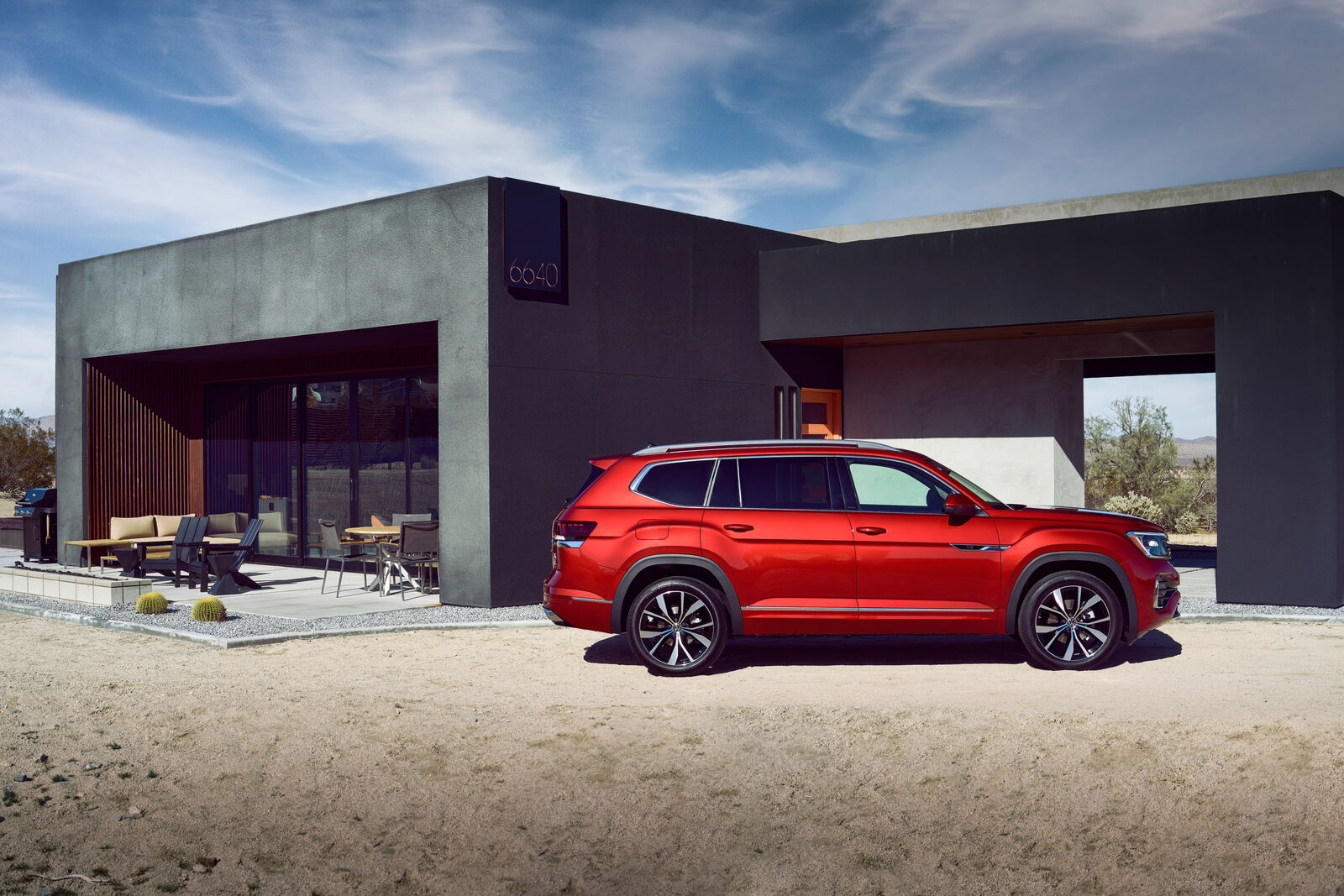
A family SUV does not prove itself only with space.
It has to make school runs, road trips, grocery stops, and shared-driver handoffs feel less awkward.
That is where the Volkswagen Atlas deserves a practical technology look.
The better question is whether its screens, phone routines, passenger setup, and driver-assistance behavior make sense when the cabin is full and
attention is already divided.
For many shoppers, the useful question is not whether the Atlas has a long list of digital features.
This guide looks at the Atlas as a family technology environment: what to try, what to notice, and what should feel easy
before you decide whether it fits your routine.
Start With The Screen Tasks You Actually Repeat
The main screen in a family SUV has to handle ordinary jobs quickly. Navigation, audio, climate access, phone switching, and basic settings are not showroom details. They are the things you reach for when someone wants a charger, a playlist, a different temperature, or a faster route.
During a test drive, do not stop at whether the display looks modern. Sit in the driver seat and run through the tasks you would repeat every week. Start navigation. Change audio. Find the settings you would adjust before a trip. Move between the map and media controls. Notice whether the interface feels calm or whether it creates too many second guesses.
The best screen setup for a family driver is not the one with the most visual drama. It is the one that lets routine actions happen without pulling too much attention away from the road and cabin.
Phone Setup Matters More Than It Sounds
A family SUV often has more than one regular driver and more than one phone competing for priority. That makes phone behavior worth testing before you focus on anything more advanced.
Pair the phone you use most often. Then check how quickly the vehicle returns to navigation, calls, audio, and messages after a restart. If another adult will drive the Atlas, test that person’s phone too. Watch what happens when both phones are present.
The goal is not to memorize every menu. The goal is to see whether the vehicle behaves predictably when real life is a little messy.
This is also where shared-driver routines become obvious. A good setup should make it easy to understand which phone is active, how to change it, and whether a driver can get moving without turning the first few minutes into a settings session.
For broader Volkswagen technology context, TechNubo also covers the Volkswagen Golf GTI technology and driving experience. The Atlas has a different mission, but the same basic question applies: does the tech support the way the vehicle is meant to be used?
Passenger Convenience Is Part Of The Tech Story
Family SUV technology is not limited to the front screen. The passenger experience matters because people bring phones, tablets, headphones, bags, snacks, and competing expectations into the cabin.
When you inspect the Atlas, look at where devices would actually go. Can passengers keep a phone secure without it sliding into an awkward spot? Can a front passenger use a device without competing with the driver’s storage area? Would a second-row passenger have a sensible place for everyday items during a longer drive?
Avoid judging this only while the vehicle is empty. Picture the cabin with backpacks, jackets, sports gear, and a few charging cables. A cabin that looks clean in photos can still feel inconvenient if the technology surfaces and storage areas do not match how your passengers behave.
The useful test is simple: imagine everyone getting in with a device at 7:30 a.m. If the setup already seems confusing while parked, it will not feel easier when you are late.
Driver Assistance Should Be Clear, Not Dramatic
Driver-assistance features can be helpful, but only when the driver understands what is active, what is not active, and what the vehicle is asking from them. In a family SUV, clarity matters more than spectacle.
On an appropriate test route, pay attention to the cues. Look at how the Atlas communicates driver-assistance status, alerts, and changes in behavior. Notice whether the information is easy to read at a glance. If the vehicle gives a warning or prompt, ask whether it is clear enough to understand without overthinking.
This is also a good moment to separate assistance from automation. The driver remains responsible for paying attention and controlling the vehicle. The technology should support that responsibility, not blur it.
A practical family test drive should include calm roads, normal traffic, parking, and a few turns that reflect your actual routine. The more ordinary the route, the easier it is to judge whether the assistance cues feel useful in daily life.
Shared Drivers Need Predictable Settings
Many family SUVs are shared by two or more adults. That makes settings behavior more important than it first appears.
Before deciding whether the Atlas works for your household, think through the handoff. One driver may prefer a different seating position, audio source, navigation view, phone connection, or assistance setting. The question is whether the vehicle makes those changes feel straightforward.
If possible, have both regular drivers sit in the vehicle during the same visit. Let each person try the screen, phone connection, audio controls, and basic settings. A vehicle can feel intuitive to one driver and slightly frustrating to another. Finding that out early is better than discovering it after the purchase.
The goal is not perfection. The goal is a setup your household can repeat without a long explanation every time someone else takes the key.
Build A Simple Atlas Tech Test-Drive Routine
A useful technology test drive does not need to be complicated. It just needs to match the way the SUV will be used.
Start by pairing a phone and opening navigation. Change audio while parked. Check where passengers would put devices and everyday items. Switch attention between driver and passenger needs. Then drive a route that includes normal traffic, turns, parking, and a few moments where driver-assistance cues can be observed safely.
As you go, look for friction. Are common controls where you expect them? Does the screen make routine choices feel simple? Can the driver understand what the vehicle is doing without staring too long? Do passengers have sensible places for devices and small items? Can another driver step in without rebuilding the whole setup?
That routine will tell you more than a feature list because it tests the Atlas as a working family SUV, not as a showroom display.
For more practical buying and setup help, visit TechNubo’s guides.
The Bottom Line
The Volkswagen Atlas is best evaluated as a family technology space, not just as a vehicle with screens. The details that matter most are the ones you repeat: phone pairing, navigation, audio, passenger device habits, shared-driver settings, and driver-assistance clarity.
A good test drive should leave you with fewer questions, not more. If the Atlas makes everyday digital routines feel predictable while the cabin is busy, its technology is doing the job that matters most for family use.
Related articles
- Volkswagen ID.4 EV platform, charging and software tech
- Volkswagen Golf GTI technology and driving experience
- Volkswagen ID. Buzz electric van tech
FAQ
What technology should I check first on the Volkswagen Atlas?
Start with the cabin software, driver-assistance features, connected services, charging or powertrain behavior, and the trim-specific equipment that changes the daily experience.
Do all Volkswagen Atlas versions have the same technology?
No. Screens, software features, safety assists, audio, cameras, charging support, drivetrain hardware, and connected services can vary by trim, model year, package, and market.
What should I verify before comparing or buying the Volkswagen Atlas?
Confirm the exact trim, software status, official equipment list, service history, recall status when relevant, and whether the features you care about are standard, optional, or market-specific.