
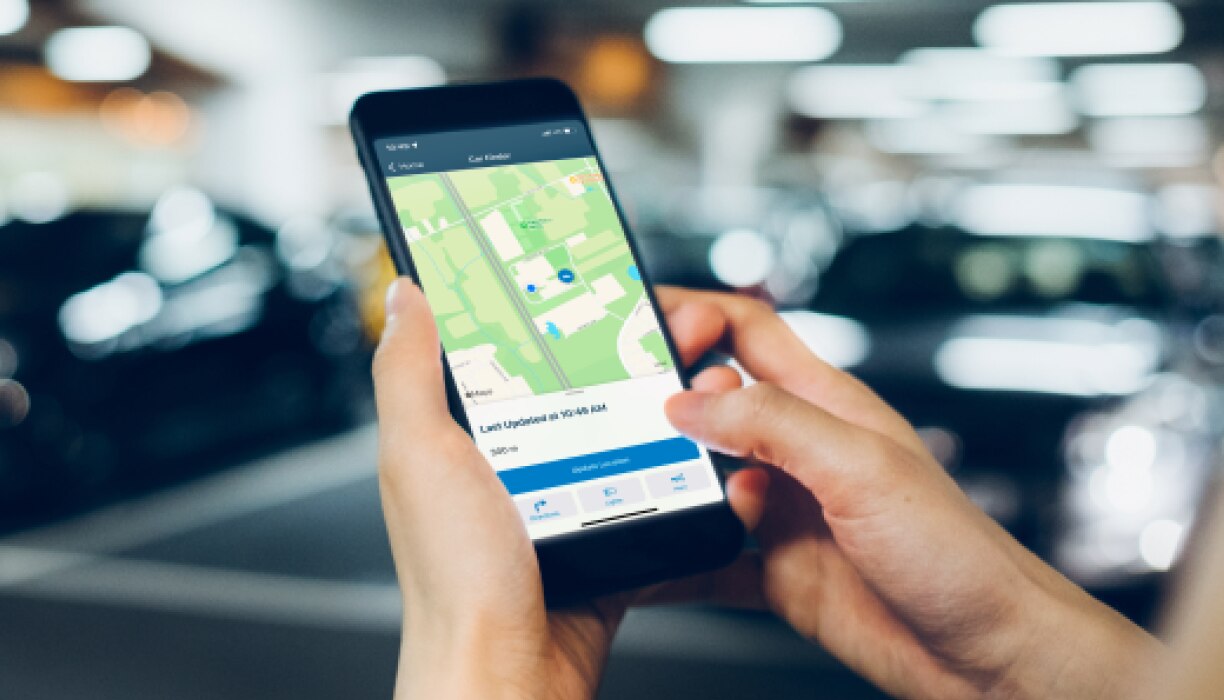
HondaLink vs CarPlay is not a straight app-versus-app fight.
CarPlay is mainly about the screen you use while driving.
HondaLink is more about Honda-specific ownership, connected services, and vehicle support.
That difference is the key to deciding which one matters more in a connected Honda.
Why HondaLink matters in a connected Honda
HondaLink is Honda’s connected-service layer for supported vehicles. In Honda’s current consumer materials, it appears as part of the ownership experience rather than as a direct replacement for phone projection.
That distinction matters because a Honda can have an infotainment system, smartphone projection, and HondaLink-style services at the same time. They work around the same vehicle, but they do not do the same job.
The useful question is not which name is bigger. It is whether you need a Honda-specific vehicle connection or a familiar phone interface on the center screen.
Cabin technology: where each feature shows up
CarPlay is the cabin-facing experience many drivers notice first. When the vehicle and phone support it, CarPlay brings a compatible iPhone-style interface to the infotainment display.
HondaLink sits closer to Honda’s ownership layer. Depending on the vehicle, market, trim, and service availability, it may connect with app-based vehicle features, Honda account tools, or support touchpoints.
That makes the daily feel different. CarPlay is usually about navigation, media, calls, and messages in a phone-first layout. HondaLink is more about Honda-provided services around the vehicle itself.
Screens, controls, and software create the real divide
The cleanest way to compare HondaLink vs CarPlay is to separate the screen experience from the vehicle-service experience.
CarPlay is built around the phone interface. It helps when you want the car’s display to feel closer to your iPhone, with compatible apps arranged for driving.
HondaLink is built around Honda’s ecosystem. It belongs in the same conversation as connected ownership features, vehicle app support, and brand-specific services.
For many drivers, CarPlay will be more visible on every trip because it lives on the dashboard screen. HondaLink may matter more before the drive, after the drive, or when a Honda-specific connected feature is the point.
Driver assistance and safety tech are separate categories
HondaLink and CarPlay should not be treated as driver-assistance systems. They are not lane support, adaptive cruise control, automatic emergency braking, or another active safety feature.
That distinction prevents a common buying mistake. A connected app feature can make ownership easier, but it should not be described as a substitute for the vehicle’s actual safety and assistance equipment.
When comparing Honda models, keep the categories separate: infotainment, phone projection, connected services, and driver-assistance technology. They may appear in the same shopping conversation, but they answer different questions.
Platform context: the feature follows the vehicle
HondaLink availability depends on the vehicle context. A newer Honda model, a specific trim, a regional package, or a service setup can change what a driver actually gets.
CarPlay also depends on compatibility. The vehicle, phone, connection method, software state, and regional support can all affect the experience.
That is why broad claims like "HondaLink replaces CarPlay" or "CarPlay makes HondaLink unnecessary" are too simple. The better approach is to check the exact Honda model and decide which job matters more to you.
Is HondaLink better than CarPlay?
HondaLink is not generally better than CarPlay as an in-car phone interface. If your goal is to use familiar iPhone apps on the vehicle display, CarPlay is the more direct answer.
HondaLink can be better for Honda-specific ownership tasks, especially when the supported feature is tied to the vehicle rather than to the phone interface.
So the fair answer is this: CarPlay is better for the dashboard phone experience; HondaLink is better when the task depends on Honda’s own connected-vehicle services.
That is not a weakness in either system. It means they are designed for different parts of the ownership experience.
What Honda owners should compare before deciding
Start with the task you care about most. If you want maps, music, calls, and messages through a familiar iPhone-style display, focus on CarPlay support and how the phone connection works in that Honda.
If you want Honda-specific app or connected-service behavior, focus on HondaLink availability for the exact model, trim, market, and service setup.
Then look at the broader infotainment design. Screen size, physical controls, menu layout, phone-connection behavior, and software consistency can matter as much as the feature names.
A good Honda tech setup is not just a longer feature list. It is a cabin where the screen, controls, phone connection, and connected services do not fight each other.
Daily use: the better choice depends on the moment
On a normal commute, CarPlay may be the feature you notice first because it works through the infotainment screen during the drive.
During ownership, HondaLink may become more relevant when you are using Honda-specific app features, vehicle information, or connected-service touchpoints.
That split makes the comparison easier. CarPlay helps the car work with your phone. HondaLink helps the car work within Honda’s own connected ecosystem.
The best setup is not choosing one name and ignoring the other. It is knowing which feature should handle which job.
What to compare next
If you are researching a specific Honda, start with the infotainment system. Look at the screen interface, smartphone connection behavior, control layout, and how Honda presents connected services for that model.
If your concern is connection reliability, compare symptoms before assuming the app or the car is the problem. A blank display, a partial connection, or audio-only behavior can point to different next checks.
If you are comparing brands, look beyond the app names. Toyota, Honda, Ford, Chevrolet, and other automakers can package phone projection, connected apps, and driver-assistance features in different ways.
Related articles
- The Honda Infotainment System: Everything You Need to Know
- Honda Smartphone Connection Not Working? Start With These Practical Checks
- Toyota’s Infotainment System Sets the Standard: Review
FAQ
Is HondaLink the same as Apple CarPlay?
No. CarPlay is centered on bringing a compatible iPhone interface to the vehicle screen. HondaLink is Honda’s connected-service and ownership-focused ecosystem for supported vehicles.
Do I need HondaLink if my Honda has CarPlay?
Possibly. CarPlay may handle your daily phone interface, while HondaLink may matter for Honda-specific connected features. The exact value depends on your vehicle and available services.
Is CarPlay better than HondaLink for navigation and music?
For many iPhone users, CarPlay is the more direct feature for navigation, media, calls, and messages on the vehicle display. HondaLink is not mainly a CarPlay replacement.
What should I check before buying a Honda for its tech?
Check the exact model’s infotainment system, CarPlay support, HondaLink availability, screen and control layout, and any connected-service requirements that apply in your market.