
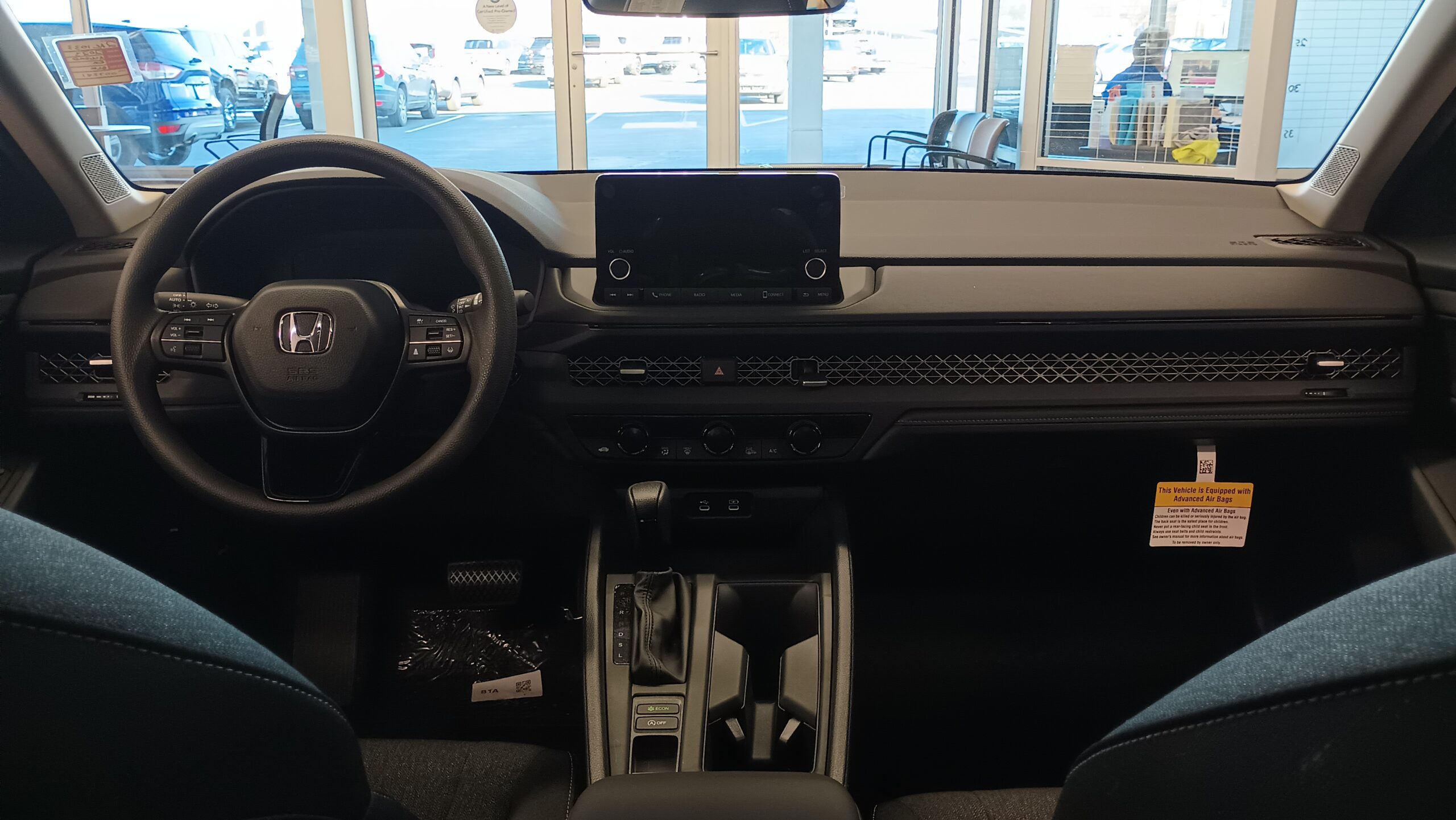
Honda infotainment can be confusing because the same badge does not mean the same screen in every Honda.
A new Accord, a CR-V, a Prologue, and an older Civic can feel very different.
The useful way to understand it is by layers: screen, phone projection, HondaLink, Google built-in, and connected services.
This guide explains what each layer does, what varies, and what to check before buying or troubleshooting.
Fast Answer: What Is the Honda Infotainment System?
The Honda infotainment system is the vehicle’s central digital interface for audio, phone connection, navigation or app features where equipped, and selected connected services.
It is not one identical system across every Honda. Features can vary by model, model year, trim, market, hardware, phone compatibility, account status, and service availability.
A current Accord example shows how this can come together. Honda lists an available 12.3-inch touchscreen on the Accord, and Honda’s Info Center describes a 2026 Accord touchscreen with wireless Apple CarPlay and Android Auto compatibility plus Google built-in context for that vehicle. Sources: Honda Accord and Honda Info Center.
For a buyer or owner, the key point is simple: do not judge every Honda by one demo screen. Check the exact vehicle, trim, and supported services.
Why Honda Infotainment Can Feel Different From One Model to Another
Honda infotainment is a family of related experiences, not a single universal dashboard.
One Honda may mainly give you Bluetooth, a touchscreen, and smartphone projection. Another may add built-in Google services. A connected model may also work with HondaLink features through an app and account.
That matters because shoppers often compare vehicles by screen size or screenshots. The more useful comparison is what the system can actually do in that specific vehicle.
Before treating a feature as included, check three things:
- The exact model year and trim.
- Whether the feature depends on a compatible phone or account.
- Whether connected services, data, subscriptions, or regional availability affect it.
HondaLink’s App Store listing, for example, says feature availability may vary by model, model year, country, and subscription package. Source: HondaLink on the App Store.
The Main Layers of Honda Infotainment
Most Honda infotainment questions become clearer when you separate the system into layers.
1. The In-Car Screen
The in-car screen is the part you touch while sitting in the vehicle. Depending on the Honda, it may handle audio, phone pairing, vehicle information, app shortcuts, navigation context, or system settings.
On the 2026 Accord example, Honda describes a color touchscreen with wireless Apple CarPlay and Android Auto compatibility. That source is useful because it ties the claim to a specific model and year instead of implying every Honda behaves the same way. Source: Honda Info Center.
2. Apple CarPlay
Apple CarPlay is Apple’s vehicle interface for compatible iPhones and compatible vehicles. It brings supported iPhone functions to the car display, such as maps, calls, messages, music, and selected apps. Source: Apple CarPlay.
CarPlay is not the same thing as HondaLink. It is phone projection from Apple. Honda’s role is whether a specific Honda model and trim supports it, and whether it is wired or wireless in that vehicle.
3. Android Auto
Android Auto is Google’s phone projection interface for compatible Android phones and compatible vehicles. It can bring navigation, communication, media, and voice features to the vehicle display when the setup is supported. Source: Android Auto.
Like CarPlay, Android Auto should be treated as a compatibility question. The vehicle, phone, cable or wireless setup, region, and software context can all matter.
4. HondaLink
HondaLink is Honda’s connected app layer. The App Store listing describes examples such as vehicle status, remote commands where supported, service scheduling context, and other connected features, while also warning that availability varies by vehicle and package. Source: HondaLink on the App Store.
That means HondaLink should not be described as a guaranteed feature bundle for every Honda. It is better understood as a connected-services app whose usefulness depends on the specific vehicle and service setup.
5. Google Built-In
Some Honda vehicles offer Google built-in, which can include Google Assistant, Google Maps, and Google Play in supported vehicles. Honda’s own Google built-in page says it works without requiring an Android phone, while also noting connected service and data-plan context. Source: Honda Google built-in.
This is different from Android Auto. Android Auto projects from a compatible phone. Google built-in is integrated into supported vehicles.
What Drivers Usually Use Honda Infotainment For
A Honda infotainment system is not just a big radio. In everyday use, most drivers care about a few practical jobs.
Navigation is one of the biggest. Depending on the vehicle, that may come from phone projection, Google built-in, or another equipped navigation setup.
Audio is another common use. Drivers may switch between radio, Bluetooth audio, phone apps through CarPlay or Android Auto, and other supported media sources.
Communication also matters. When properly set up, compatible systems can support hands-free calling, messaging features, and voice control through the phone interface or built-in services.
Connected-service features are a separate category. HondaLink may support certain remote or account-based features on eligible vehicles, but those features depend on the model, country, package, and subscription context described in Honda’s app listing.
The clean way to think about it is this: the screen is the interface, the phone projection systems bring phone apps into the car, and HondaLink or Google built-in add supported connected-service or built-in app layers.
What to Check Before Buying a Honda for Its Tech
If infotainment matters to you, inspect the actual vehicle instead of relying only on a trim name or a generic brochure summary.
Start with the screen. Is it the size and layout you expected? Does the response feel comfortable? Can you reach common controls without hunting through too many menus?
Then check phone projection. If you use an iPhone, confirm CarPlay support on that vehicle. If you use Android, confirm Android Auto support. Also check whether the connection is wired, wireless, or dependent on specific setup conditions.
Next, check built-in services. If a vehicle advertises Google built-in, confirm what is included in that model and what may depend on data, Wi-Fi, account setup, or service terms. Source: Honda Google built-in.
Finally, check HondaLink expectations. If remote commands, vehicle status, or connected app features are important, compare the exact vehicle against HondaLink availability rather than assuming all features are included.
Common Mistakes With Honda Infotainment
The first mistake is treating Honda infotainment as one system. A review of one model may not tell you what an older, lower-trim, or market-specific vehicle can do.
The second mistake is mixing up HondaLink, CarPlay, Android Auto, and Google built-in. They overlap in the driver’s experience, but they are not the same layer.
The third mistake is assuming wireless support. Some features may be wired in one vehicle and wireless in another, even when the names sound familiar.
The fourth mistake is ignoring accounts and subscriptions. Connected services can depend on account status, service availability, vehicle eligibility, and package terms.
The fifth mistake is overlooking used-car cleanup. A used connected vehicle may need account and remote-access details reviewed before a new owner treats the system as private and fully under their control.
Privacy, Account, and Cost Context
Infotainment is not only about convenience. Connected vehicle systems can involve account data, device data, vehicle data, location context, and service-use information.
Honda’s Vehicle Data Privacy Notice describes connected vehicle technologies and categories of data that may be associated with vehicles, devices, services, and use of connected features. Source: Honda Vehicle Data Privacy Notice.
That does not mean every feature is active in every Honda. It means owners should understand that connected services are different from a simple offline radio.
For used vehicles, Honda also provides a remote vehicle access page that addresses disconnecting remote vehicle access. That is useful because a used-car buyer should think about previous-owner access, account transfer, and connected-service cleanup. Source: Honda remote vehicle access.
Cost expectations should stay cautious. HondaLink availability and packages can vary, and Google built-in may involve connected service or data-plan context. Check the current terms for the exact vehicle before treating any connected feature as permanently included.
Practical Troubleshooting Examples
If the screen works but your phone projection does not appear, separate the problem into vehicle, phone, and connection method.
For an iPhone, confirm the vehicle supports Apple CarPlay and that the phone is compatible with CarPlay. Apple’s CarPlay page is the right starting point for the phone-side concept. Source: Apple CarPlay.
For an Android phone, confirm the vehicle supports Android Auto and that the phone setup is compatible. Google’s Android Auto page explains the general phone and vehicle compatibility requirement. Source: Android Auto.
If connected app features do not behave as expected, treat that as a HondaLink or connected-services question rather than a touchscreen-only problem. Check model, account, region, package, and subscription context.
If Google built-in features are the concern, separate them from Android Auto. Google built-in is a vehicle-integrated service layer on supported Hondas; Android Auto is phone projection.
If the vehicle is used, add an ownership check. Review connected accounts and remote access before assuming the previous owner’s connection is gone.
When to Use Support or a Dealer
Some infotainment questions can be answered by checking compatibility, reconnecting a phone cleanly, or reviewing account status. Others need model-specific guidance.
Escalate when the system repeatedly fails in the same way, when a feature should be supported but does not appear, or when connected-service ownership is unclear on a used vehicle.
Bring useful notes rather than vague complaints. Record the vehicle model year and trim, phone model, connection method, visible screen behavior, account or app involved, and whether the problem repeats.
That information makes the conversation more practical without assuming a repair outcome, warranty decision, or universal fix.
Read More
- Honda Smartphone Connection Not Working? Start With These Practical Checks
- 2026 Honda CR-V Hybrid: SUV Hybrid Tech and Safety Systems
- Honda Prologue EV: GM Platform, Google Built-In, and Charging Tech
- Honda Gold Wing Tech: Infotainment, DCT, and Touring Features Explained
- Car Software Issues: How Bad Are They and When Should You Worry?
FAQ
Is the Honda infotainment system the same in every Honda?
No. Honda infotainment features can vary by model, model year, trim, market, hardware, phone compatibility, account status, and connected-service availability.
Is HondaLink the same as Apple CarPlay or Android Auto?
No. HondaLink is Honda’s connected app layer. Apple CarPlay and Android Auto are phone projection systems for compatible phones and vehicles.
Does Google built-in require an Android phone?
Honda says Google built-in works without requiring an Android phone on supported vehicles. It is separate from Android Auto.
What should used Honda buyers check before using connected features?
Used Honda buyers should review account status, app access, and remote vehicle access so previous-owner connections do not remain active.
Why does one Honda have different infotainment features than another?
Infotainment depends on the exact vehicle. Model year, trim, equipment, region, phone support, accounts, and service packages can change the experience.