
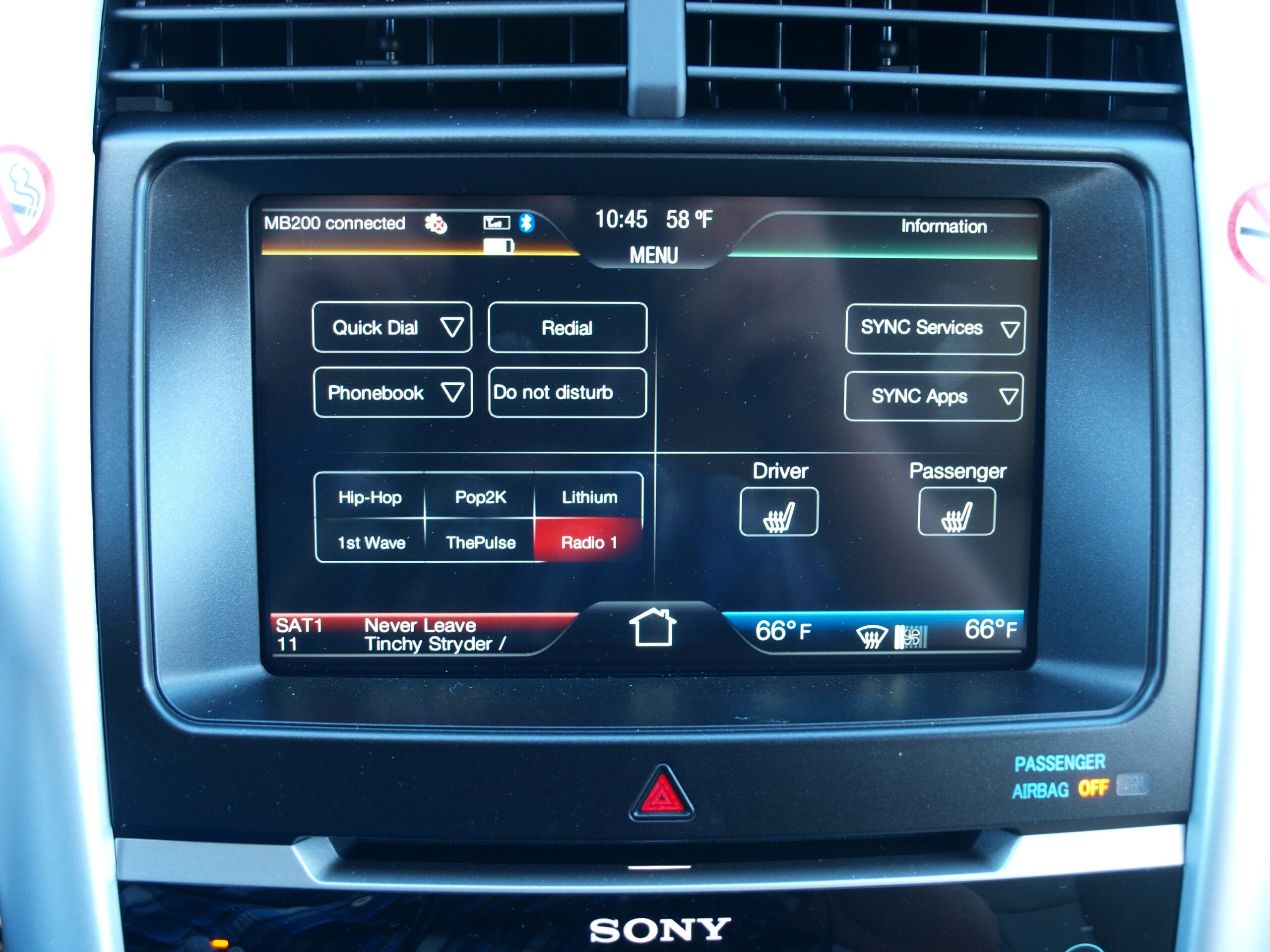
Car software issues are not all equal.
Some are annoying. Some deserve a dealer visit. A smaller group can become recall-level problems.
The useful question is not whether modern cars run on software. They do.
The useful question is what the problem affects, how often it happens, and what to check next.
If the issue only affects convenience features, start with a calm, repeatable check. If it affects required visibility, warnings, braking support, propulsion, or driver information, treat it more seriously and check for recalls or service guidance.
That distinction matters because the same word, "software," can describe a frozen infotainment screen, a missing camera image, a warning that does not behave normally, or a connected-car privacy concern. Those situations do not deserve the same level of urgency.
What Counts As A Car Software Issue?
A car software issue is a problem where a vehicle feature behaves incorrectly because of the code, settings, data connection, module communication, or update state behind it.
In daily use, drivers usually notice symptoms first. The screen may freeze. A phone may connect one day and fail the next. A driver-assist alert may appear unexpectedly. A camera image may not show when expected. An app, route planner, profile, audio source, or over-the-air update may behave inconsistently.
That does not automatically mean the vehicle is unsafe. It also does not mean the problem should be ignored.
A practical first step is to separate the symptom from the assumption. Instead of deciding that "the car software is broken," write down what failed, when it failed, what feature was involved, and whether the problem repeated after a clean restart or a later drive.
For official recall context, the safest starting point is the NHTSA recall lookup, where owners can search by vehicle identification number.
The Fast Answer: How Bad Are Car Software Issues?
Car software issues are bad when they affect information the driver needs, safety-related systems, vehicle control, required visibility, or a recall-covered defect.
They are usually less urgent when they affect comfort, convenience, entertainment, profiles, app pairing, or a feature that has a clear manual alternative. Even then, repeated failures are worth documenting because they can point to a pattern.
A frozen music screen is different from a missing required warning. A delayed app connection is different from a recall notice. A confusing driver-assist alert is different from a confirmed defect, but it still deserves attention because the driver needs to understand what the system is doing.
NHTSA also reminds drivers that driver-assistance technologies support the driver rather than replace attention or responsibility. Its driver-assistance guidance is a useful baseline when a software complaint involves alerts, warnings, lane support, adaptive cruise, or related features.
Why Software Problems Feel Worse In Newer Cars
Modern cars put more functions behind screens, modules, apps, sensors, and data connections. That makes many features easier to update, but it also means one visible problem can have several possible causes.
A phone connection issue may involve the phone, cable, wireless connection, vehicle profile, app permission, or infotainment state. A blank display may be a screen issue, a camera issue, a startup issue, or a symptom that needs service diagnosis. A warning message may be temporary, repeated, or tied to a service campaign or recall.
This is why random retrying can waste time. A better approach is to identify the affected feature and then ask whether the problem is cosmetic, functional, safety-related, or officially recognized.
The payoff is simple: you do not need to diagnose the whole vehicle. You need enough clean information to decide whether to keep using the feature, check settings and updates, contact support, or escalate to a dealer.
A Practical Severity Test For Owners
Start by asking five questions.
First, does the issue affect driving information, required warnings, cameras, visibility, braking support, propulsion, steering support, or driver-assistance behavior? If yes, treat it as higher priority.
Second, does the issue appear every time, only with one phone, only after an update, only in one location, or only at startup? A repeatable pattern is more useful than a vague complaint.
Third, does the vehicle have an open recall? Check the VIN through NHTSA or the automaker’s owner portal before assuming it is just a temporary glitch.
Fourth, does the owner’s manual or support guidance describe the feature’s limits? Some driver-assistance and connected features behave differently depending on conditions, subscriptions, sensors, signal, or compatibility.
Fifth, can you safely avoid the affected feature until it is checked? If the answer is no, stop treating it as a convenience problem.
Match The Symptom To The Next Check
If the screen is blank, note whether the rest of the vehicle appears normal, whether the screen returns after the next startup, and whether any required camera or warning information is missing. If required information is affected, contact service rather than relying on repeated restarts.
If the screen loads only partly, record what appears and what does not. For example, audio may work while navigation, phone projection, or a vehicle menu does not. That distinction helps support staff avoid chasing the wrong subsystem.
If the phone connects inconsistently, test one clean variable at a time. Try the same phone on the same connection method, then change only the cable, phone, or wireless state where appropriate. Do not change every setting at once, because that destroys the pattern.
If audio works but the expected display does not appear, describe both facts together. "Audio works, but the phone projection view does not appear" is more useful than "the system is broken."
If the problem is intermittent, keep a short note with date, vehicle state, feature used, phone model if relevant, update timing, and any warning text. That record is often more useful than a video taken after the symptom disappears.
Recall-Level Software Problems Are Real, But Not Every Glitch Is A Recall
Software can be serious enough to appear in official recall reporting. NHTSA Recall Reports 26V019 and 25V710 are examples where software-related vehicle behavior required formal recall attention.
That does not mean every frozen screen or failed connection is a recall. It means owners should know where the line is: when a software problem affects required vehicle behavior, safety-related information, or a formally identified defect, it moves beyond ordinary annoyance.
The owner action is straightforward. Search for open recalls, read the recall remedy instructions, and follow the automaker or dealer process. Do not rely on social posts, forum guesses, or generic fixes when an official remedy exists.
Common Mistakes That Make Diagnosis Harder
The first mistake is changing too many things at once. If you restart the car, update the phone, swap the cable, delete the profile, and change app permissions in one session, you may never know what mattered.
The second mistake is treating all screens as safety systems. A slow media tile may be irritating, but it is not the same as a missing camera view or warning message.
The third mistake is ignoring feature limits. Driver-assistance systems can depend on sensors, road markings, weather, speed, and driver supervision. A warning or disengagement may be expected in some conditions, while repeated unexplained behavior deserves documentation.
The fourth mistake is assuming an over-the-air update always fixes the issue. Updates can help, but owners should not assume a remedy unless the automaker or recall notice says so for that vehicle.
The fifth mistake is using the wrong evidence. A clear note with time, symptom, affected feature, and repeat pattern is more valuable than a dramatic description with no details.
Privacy, Security, And Cost Context
Car software issues are not only about screens. Connected vehicles can involve accounts, apps, location-related services, diagnostics, subscriptions, and data sharing.
The FTC action involving GM and OnStar is a useful privacy example. The safe takeaway is narrow: connected-car data practices can matter, and owners should read app permissions, account settings, and privacy notices instead of assuming every connected feature is harmless.
Cost is similar. A software symptom may be resolved through a setting, update, recall remedy, support process, or service visit, but the right path depends on the vehicle and issue. This article does not promise warranty coverage, repair pricing, or a guaranteed fix.
If money is involved, ask the dealer or support channel to identify whether the issue is tied to an open recall, service campaign, warranty coverage, subscription requirement, or customer-pay diagnosis before approving work.
What To Bring To Support Or Service
Bring the VIN, software version or update timing if visible, phone model if a phone is involved, a short symptom log, and any exact warning message.
Explain the feature affected, the condition when it happens, and whether the issue repeats. Say what you already tested, but keep it simple. "Same phone, two drives, wired connection, audio works, display does not" is more useful than a long complaint with no sequence.
If the issue affects a safety-related feature, required display, warning, camera, propulsion behavior, or braking support, say that clearly. If it is limited to entertainment or convenience, say that too. The distinction helps the support path match the risk.
Related articles
- What Are Common Mercedes-Benz EV Software Problems?
- Mercedes-Benz Infotainment Recall 26V281: What Drivers Should Know
- Audi Connect Problems: Causes, Feedback, and Recalls Explained
- Ford and Lincoln Digital Experience: Apps, Video, CarPlay, and What to Check
- Driver-Assist Features How-To Articles
Bottom Line
Car software issues range from minor annoyance to official recall concern. The difference is the system affected, the repeat pattern, and whether reliable owner or recall information supports escalation.
For everyday glitches, slow down and isolate the symptom. For safety-related behavior, required displays, warning problems, or open recalls, use official channels and document the issue carefully.
That is the practical middle ground: do not panic over every screen bug, but do not dismiss software when it touches information or systems the driver relies on.
FAQ
Are car software issues dangerous?
Some can be, but many are not. Treat the issue as more serious when it affects required warnings, visibility, driver-assistance behavior, propulsion, braking support, or an open recall.
Should I wait for an over-the-air update?
Not if the issue affects safety-related behavior or required vehicle information. Check for recalls and contact the dealer or support channel when the symptom is serious or repeatable.
What is the first thing to check when the infotainment screen freezes?
Note what still works, what does not, and whether the problem repeats after a later startup. If required camera or warning information is missing, escalate it.
How do I know whether my car has a software recall?
Use the official NHTSA recall lookup with your VIN, then follow the automaker or dealer remedy instructions for your specific vehicle.
Can a phone cause what looks like a car software problem?
Yes. Phone compatibility, cables, wireless state, app permissions, and account settings can affect connected features. Test one variable at a time so the pattern stays clear.