
Audi Connect problems can feel bigger than one app glitch.
The cause is not always the same, and that matters.
Some issues live in the phone, subscription, signal, MMI software, or account setup.
Recall questions need a different path: a VIN check, not symptom matching.
What Happened
Audi owners searching for Audi Connect problems are usually trying to separate everyday connected-service friction from something more serious. The same complaint can start from the myAudi app, the vehicle screen, a login issue, a subscription setting, phone pairing, a weak connection, or a recall notice.
Audi describes connected services through its Audi Digital Services pages, where service availability depends on vehicle, equipment, model year, and active services. That context matters because not every missing feature or failed connection points to the same root cause.
There is also a separate recall angle. The NHTSA Part 573 Safety Recall Report 25V900 was submitted on December 19, 2025 and concerns a rearview-camera software issue. That official report should not be treated as proof that every Audi Connect, myAudi, MMI, or phone-pairing complaint has the same cause.
The practical takeaway is simple: identify which surface is failing first, then use official lookup tools for recall questions.
Why It Matters
Connected-car problems are frustrating because they often look related even when they are not. A driver may see a blank screen, a stalled app session, a feature that will not load, or a service that appears unavailable. Those symptoms can feel connected, but they can come from different parts of the ownership setup.
That distinction helps owners avoid two dead ends. One is endlessly retrying the same app or screen without learning anything. The other is assuming a recall applies because a visible symptom sounds similar.
A clearer first step is to separate the problem into five buckets: vehicle screen behavior, phone behavior, account or subscription status, connection quality, and recall status. Each bucket points to a different next check.
What Audi Connect Problems Can Mean
Audi Connect is tied to connected services, not just one button or one app screen. A problem may show up as a service that does not load, a feature that appears unavailable, a failed account connection, or a mismatch between what the driver expects and what the vehicle currently supports.
The myAudi app is another surface. If the app cannot sign in, update vehicle data, or show expected services, the issue may be separate from the vehicle’s MMI behavior. If the vehicle screen works normally but the app does not, treat that as a different clue than a blank or frozen in-car display.
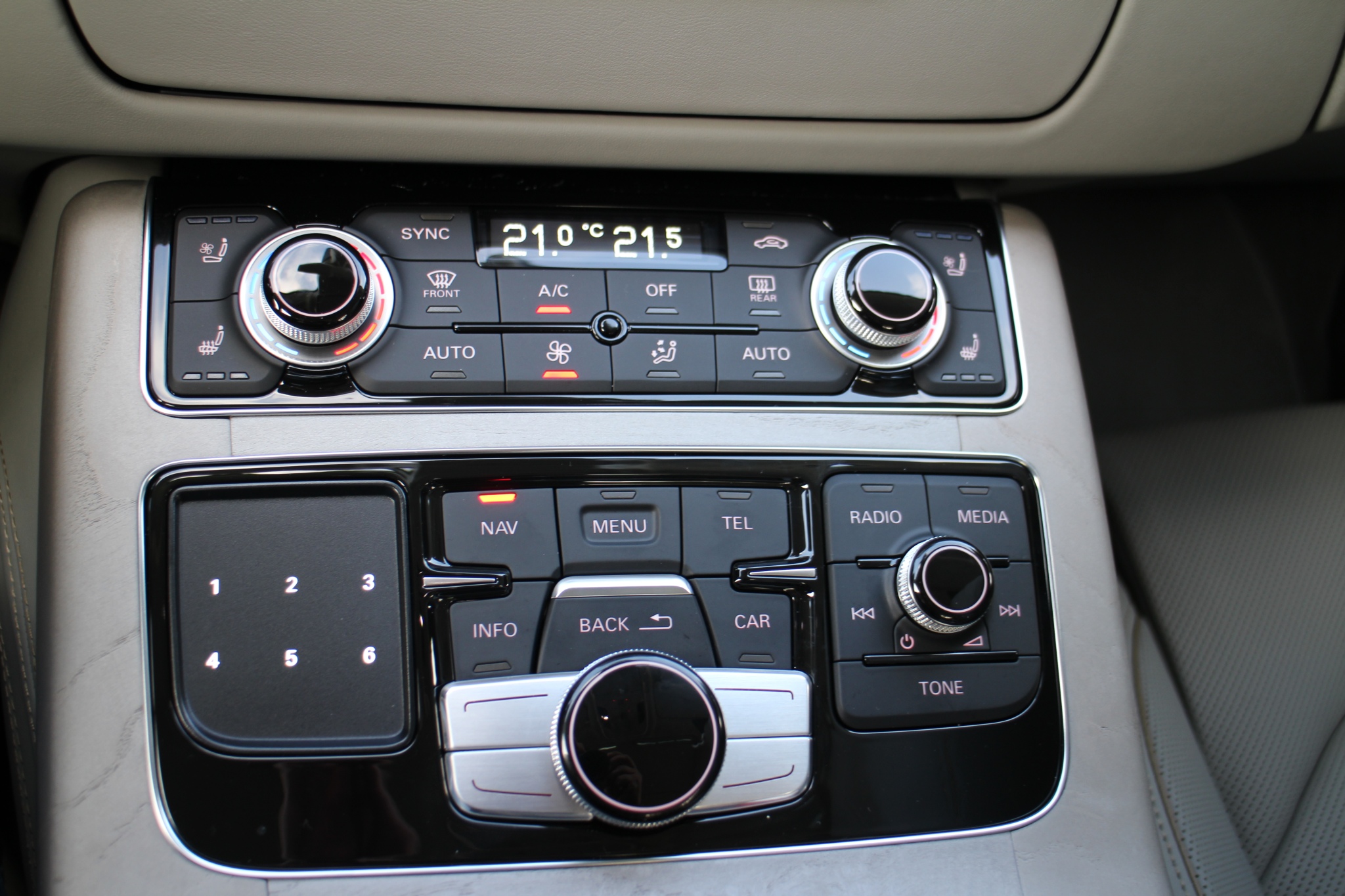
MMI behavior is distinct too. A screen, menu, camera view, audio source, or phone-projection issue can involve the in-car interface without proving that Audi Connect itself is down.
The goal is not to diagnose the vehicle from one symptom. It is to avoid mixing different systems before the pattern is clear.
What Is Confirmed About Recall 25V900
The official NHTSA report is the right source for the specific 25V900 recall context. It gives the formal recall record and frames the issue as a rearview-camera software matter, not a broad statement about Audi Connect as a whole.
For an owner, the important distinction is VIN-based status. Audi provides a recall and service campaign lookup, and NHTSA provides a recall lookup. Those tools are more reliable than matching a personal symptom to a headline or forum description.
If a vehicle has an open recall, the official lookup path should show it. If it does not, that does not automatically solve an Audi Connect problem; it simply means the recall question should not be answered by guesswork.
What This Does Not Prove
A known recall does not prove that every connected-service complaint has the same cause. It also does not prove that a specific vehicle is affected without a VIN lookup.
A myAudi app issue does not prove a rearview-camera software recall is involved. A delayed service, unavailable feature, failed login, or phone-pairing issue may still need separate troubleshooting through the owner manual, Audi support, app support, or a dealer service channel.
Symptom matching is useful for describing the problem. It is not enough to establish recall status, repair eligibility, cost, warranty coverage, or the outcome of a service visit.
Practical Checks Before You Escalate
Start with the surface that fails first. If the phone reacts but the vehicle does not, the next useful question is different from a case where the vehicle screen works but the app cannot refresh account data.
If the issue is a blank or frozen vehicle display, write down when it happens, what feature was being used, and whether audio, camera view, maps, or phone functions behave differently. Do not treat one blank screen as proof of a recall.
If the issue is partial loading, note what loads and what does not. A service tile that fails, an app session that stalls, and a phone connection that drops are different observations.
If the issue is inconsistent connection, look for patterns: location, signal strength, recent phone update, vehicle startup timing, account sign-in state, or whether the same issue appears with another connection method.
If the issue is audio-only behavior or a screen that reacts briefly, document the sequence. Support teams usually need the exact order: what you opened, what appeared, what disappeared, and whether the behavior repeats.
These checks do not promise a fix. They make the next support or service conversation more specific.
When To Use Audi Or NHTSA Lookup Tools
Use recall lookup tools when the question is whether a vehicle has an open recall or service campaign. Use Audi’s recall page for Audi-specific lookup and NHTSA’s recall page as an additional official path.
Use connected-service support when the problem is account access, service availability, subscription state, app behavior, or feature access. Those issues may not be answered by a recall record.
Use service support when the vehicle shows repeatable in-car behavior that affects the display, camera view, controls, or system operation. Bring notes, dates, screenshots when available, and the exact sequence that produces the issue.
That separation keeps the conversation focused. It also prevents a recall headline from swallowing a practical troubleshooting problem.
What To Watch Next
Owners should watch three things: official Audi service campaign updates, NHTSA recall records tied to their VIN, and recurring patterns in the vehicle or app behavior.
If Audi or NHTSA updates a recall record, the official lookup tools are the cleanest place to check. If the issue remains an app, account, or connected-service problem, the useful evidence is a repeatable pattern rather than a broad claim that Audi Connect is failing.
For many readers, the best next move is not to jump straight to one answer. It is to narrow the problem enough that the right channel can handle it.
Related Articles
For more context on Audi’s in-car interface, read Audi MMI Infotainment Explained: What Changed, What Works, and What Drivers Should Check.
For a comparison point in vehicle connectivity troubleshooting, see Mercedes A Class Connectivity Issues: Practical Checks Before Service and Nissan Connect App Not Working: Causes and Fixes.
FAQ
Are Audi Connect problems always caused by a recall?
No. Audi Connect problems can involve services, account access, app behavior, vehicle equipment, subscriptions, signal, or MMI behavior. Recall status should be checked through official VIN-based lookup tools.
What does NHTSA recall 25V900 involve?
NHTSA 25V900 is documented in an official Part 573 Safety Recall Report submitted on December 19, 2025, with a rearview-camera software context. It should not be treated as proof that every Audi Connect issue is recall-related.
How should I check whether my Audi is affected by a recall?
Use the Audi recall and service campaign lookup or the NHTSA recall lookup. A VIN-based lookup is more reliable than comparing symptoms to another owner’s report.
What should I write down before contacting support or service?
Record the date, feature used, screen or app behavior, connection method, account state if relevant, and whether the issue repeats. Clear notes help separate app, service, MMI, and recall questions.
Is myAudi the same thing as Audi Connect?
Treat them as related but separate surfaces when troubleshooting. An app problem, connected-service availability issue, and in-car MMI behavior can point to different checks.