
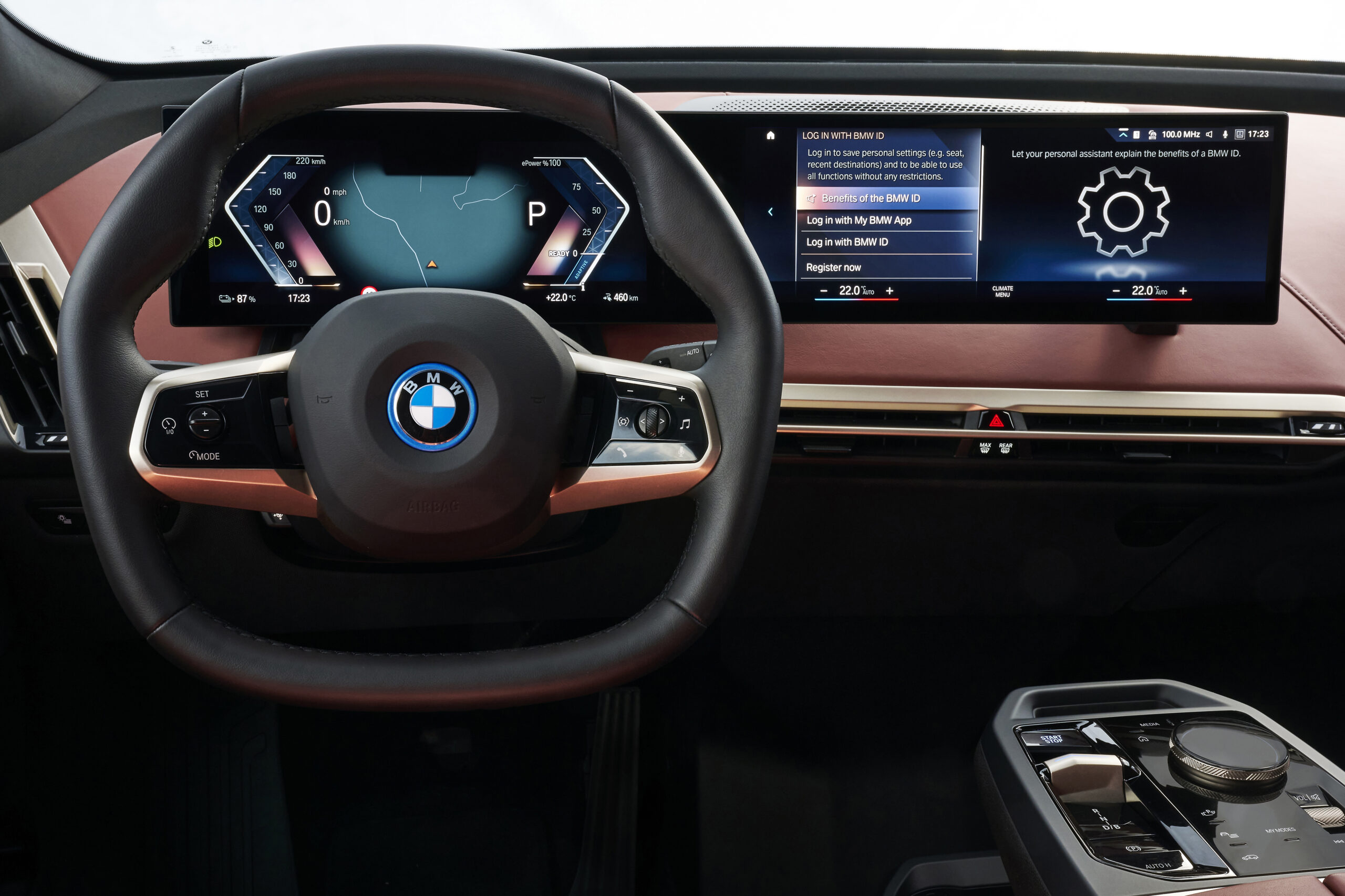
BMW iDrive vs CarPlay vs Android Auto is not really a single winner question.
It is a daily driving question: which screen should handle which job?
Use BMW’s own system for BMW-specific vehicle tasks. Use CarPlay if your driving life is built around iPhone.
Use Android Auto if your phone, apps and voice habits live on Android.
That split matters because navigation, media, messages and vehicle settings compete for the same dashboard space. The better answer is to give each interface the job it handles best.
The Real Decision Context
BMW drivers are usually comparing three layers at once:
- BMW’s own system and BMW ConnectedDrive features for vehicle-centered functions.
- Apple CarPlay for iPhone-centered driving apps and Siri-supported tasks.
- Android Auto for Android-phone-centered maps, media, messaging and voice help.
BMW’s ConnectedDrive page describes BMW digital services around areas such as vehicle status, BMW navigation, assistance features, Remote Software Upgrade, Digital Key and personalization. That is the safest way to frame the BMW side: when the task belongs to the car or BMW account experience, start with BMW’s own system.
Apple describes CarPlay as a way to use an iPhone in the car for directions, calls, messages, music and supported apps. Apple Support also frames CarPlay around connecting an iPhone to a compatible car.
Google describes Android Auto as a connected Android phone experience for a compatible car display, with navigation, media, communication and voice help.
So the practical answer is not "replace iDrive." It is "pick the interface that owns the task."
Who Each Option Is For
BMW iDrive and BMW ConnectedDrive are for car-first tasks
Use BMW’s own system first when the job is tied to the vehicle itself.
That includes vehicle status, BMW navigation context, BMW account services, personalization, Digital Key, Remote Software Upgrade and BMW-specific assistance or service features. These are not just phone app preferences. They are part of the BMW-side experience.
This is also the right place to start when you want settings or behavior that depends on the car, not on your phone.
Apple CarPlay is for iPhone-first drivers
CarPlay makes the most sense if your driving routine already depends on iPhone.
If your maps, calls, messages, music and podcasts live inside Apple’s ecosystem, CarPlay reduces friction. You get a familiar phone-centered interface in a compatible vehicle, with Siri and supported apps built around driving use.
The best reason to use CarPlay is continuity. You are not learning a new media or messaging workflow every time you get into the car.
Android Auto is for Android-first drivers
Android Auto is the better fit when your phone life runs through Android.
If you use Google services, Android messaging, Android media apps and Google’s voice assistant habits, Android Auto usually feels like the more direct extension of your phone.
It is also important not to confuse Android Auto with Android Automotive. Android Auto runs from a connected Android phone to a compatible display. Android Automotive is a vehicle operating system platform that runs directly on in-vehicle hardware.
Criteria Table: iDrive vs CarPlay vs Android Auto
| Criteria | BMW iDrive / ConnectedDrive | Apple CarPlay | Android Auto |
|---|---|---|---|
| Best fit | BMW-specific vehicle tasks | iPhone-centered daily use | Android-centered daily use |
| Navigation habit | Useful for BMW navigation and vehicle context | Useful if you prefer iPhone navigation apps | Useful if you prefer Android navigation apps |
| Calls and messages | Can fit the car’s own interface | Strong fit for iPhone calls, messages and Siri | Strong fit for Android communication and voice help |
| Media | Good for car-native media paths | Strong if your listening apps are on iPhone | Strong if your listening apps are on Android |
| Vehicle settings | Best starting point | Not the main role | Not the main role |
| Learning curve | Depends on BMW familiarity | Easier for iPhone users | Easier for Android users |
| Main limit | Can feel less phone-native for app habits | Does not replace BMW vehicle functions | Does not replace BMW vehicle functions |
The table matters because each interface has a different center of gravity. BMW’s own system is the better starting point for vehicle tasks. CarPlay and Android Auto are stronger when the task begins with the phone you already use every day.
The Main Tradeoff: Vehicle Control vs Phone Familiarity
The clearest tradeoff is control versus familiarity.
BMW’s own system is the better starting point when the task touches the vehicle. That includes BMW services, car status, vehicle-specific settings, BMW navigation context and features that depend on BMW’s own software environment.
CarPlay and Android Auto are more compelling when the task starts with your phone. Music, podcasts, calls, messages and familiar map habits often feel more natural when they follow the phone you already use all day.
That does not make one side better in every situation. It means the best interface changes by task.
A BMW driver might prefer BMW navigation for a car-centered route, then switch to CarPlay for messages and music. Another driver might keep Android Auto open most of the time because Google-based apps are central to their routine.
The practical win is knowing when to stop forcing one interface to do everything.
Navigation: Pick the System That Matches the Trip
Navigation is where the decision becomes personal.
BMW’s own navigation can make sense when you want the route inside the BMW environment. It may also fit better when the trip connects with BMW-specific services or the way the car presents its own driving information.
CarPlay is a natural choice if your preferred navigation app, saved places and voice habits are already on iPhone.
Android Auto is the same idea for Android drivers. If your saved locations, commute habits and voice assistant use are tied to Android, the phone-projection layer can feel easier.
The useful question is not "which map is always best?" Ask where your saved places, voice habits and driving routines already live.
Media, Calls and Messages: Phone Projection Usually Has the Edge
For media, calls and messages, phone projection often feels more direct.
Apple’s CarPlay page emphasizes iPhone tasks such as directions, calls, messages and music. Google’s Android Auto page emphasizes navigation, media, communication and voice help from an Android phone.
That is why many drivers leave CarPlay or Android Auto active during normal commuting. The interface follows the phone, not the automaker.
Still, the BMW system remains useful when you are handling car-specific functions or want to step outside phone-centered apps. The strongest setup is not loyalty to one screen. It is using each screen for the job it handles cleanly.
Vehicle Settings and BMW-Specific Features: Start With BMW
When the task is BMW-specific, start with BMW.
BMW ConnectedDrive covers BMW-owned digital services such as vehicle status, BMW navigation-related services, Remote Software Upgrade, Digital Key and personalization. Those areas belong closer to the car than to CarPlay or Android Auto.
That distinction prevents a common mistake. If something concerns the vehicle, your BMW account, BMW services or car-specific behavior, do not expect a phone projection interface to be the main control center.
Use CarPlay or Android Auto for the phone layer. Use BMW’s own system for the BMW layer.
Android Auto vs Android Automotive: Do Not Mix Them Up
Android Auto and Android Automotive sound similar, but they are different technologies.
Android Auto is the connected-phone experience Google presents for compatible car displays. It depends on an Android phone and focuses on driving-friendly access to apps, maps, communication and voice help.
Android Automotive is different. The Android Open Source Project describes Android Automotive as a platform that runs directly on in-vehicle hardware.
That distinction matters because Android Auto is a phone-projection experience, while Android Automotive belongs to the vehicle software layer.
For this comparison, Android Auto means the Android phone projection layer, not the car’s underlying operating system.
Practical Recommendation
Use this simple rule:
- Choose BMW iDrive and BMW ConnectedDrive for BMW-specific vehicle tasks.
- Choose Apple CarPlay when your daily driving apps and communication live on iPhone.
- Choose Android Auto when your daily driving apps and communication live on Android.
If you share the car with another driver, the answer may change by person. One driver may be better served by CarPlay, another by Android Auto, while both still need BMW’s own system for vehicle-specific features.
If you are setting up the car for the first time, do not try to decide everything at once. Start with the interface that matches your phone for media and communication. Then use BMW’s own system when you need vehicle status, BMW services, car settings or BMW navigation context.
That approach keeps the dashboard practical instead of ideological.
The Best Everyday Setup
For most BMW drivers, the best setup is a split setup.
Use the BMW layer for car-first tasks. Use CarPlay or Android Auto for phone-first tasks. Let navigation depend on your saved places, route habits and comfort with the interface.
That gives each system a clear role. It also avoids the disappointment of expecting CarPlay or Android Auto to replace BMW functions they were not designed to own.
The better question is not "Which interface wins?" It is "Which interface should handle this specific job while I am driving?"
Related Articles
- BMW iDrive 9 Review: The Knob Gets A Send-Off From Android Automotive
- Driver-Assist Features How-To Articles
FAQ
Is BMW iDrive better than Apple CarPlay?
BMW iDrive is better for BMW-specific vehicle tasks. Apple CarPlay is often better for iPhone-centered maps, calls, messages, music and supported apps.
Is Android Auto the same as Android Automotive?
No. Android Auto is a connected Android phone experience for compatible car displays. Android Automotive is a vehicle platform that runs on in-vehicle hardware.
Should I use BMW navigation or phone navigation?
Use the navigation system that best matches the trip. BMW navigation may fit BMW-specific vehicle context, while phone navigation may fit saved places and app habits.
Can CarPlay or Android Auto replace BMW iDrive?
No. They are phone-projection layers for compatible driving tasks. BMW-specific vehicle functions still belong in BMW’s own system and services.
Which interface should I use every day?
Use BMW’s system for vehicle tasks, CarPlay for iPhone-centered routines and Android Auto for Android-centered routines. Most drivers benefit from switching by task.