

BYD software OTA updates can make ownership feel simple until an infotainment issue appears at the wrong moment.
A blank screen, delayed menu, or update prompt does not always mean the same thing.
The useful question is narrower: what should a BYD owner check before blaming the latest software update?
This guide explains how to read BYD software OTA behavior in 2025 without overclaiming what caused a problem.
BYD vehicles now sit in the same world as phones, apps, cloud services, driver displays, and connected-car accounts. Software is part of the ownership experience, not just a hidden service item.
That also makes diagnosis messier. A symptom can come from the vehicle display, the phone connection, account access, connectivity, a regional rollout, a trim-specific feature, or a temporary software state. Treating every issue as a failed OTA update can send an owner in the wrong direction.
What happened around BYD software OTA updates
BYD owners and shoppers are paying closer attention to software because infotainment, vehicle settings, navigation, app connectivity, driver information, and update prompts are now part of daily driving.
That attention is reasonable. An over-the-air update can change how a screen behaves, how a feature is presented, or how the vehicle explains available software. But BYD software OTA behavior is not one universal experience shared by every model in every market.
The same broad topic can mean different things depending on the vehicle, software version, local availability, connectivity setup, and support documentation for that market. A driver reading about an update online should not assume that the same update is available, installed, or relevant to their own vehicle.
A cleaner starting point is to separate three questions:
- Is the car showing an update prompt or software version change?
- Is the infotainment system showing a repeatable symptom?
- Is there model-specific owner or support guidance that explains the next step?
Those questions keep the investigation practical without turning a single owner report into a market-wide conclusion.
Why BYD software updates matter to owners
Software now shapes the part of the vehicle that drivers touch most often: the screen. Even when the drivetrain is working normally, a slow or inconsistent infotainment interface can make the car feel unfinished.
For everyday owners, the stakes are practical. They want the screen to load cleanly, the phone to connect, audio to route correctly, menus to respond, and update prompts to make sense. If those pieces behave inconsistently, the car may still be drivable, but the user experience suffers.
OTA updates matter because they can be part of the maintenance path for connected-car software. They also matter because they can be misunderstood. A driver may see a symptom after an update and assume the update caused it, even when timing alone does not prove cause.
That is why a cautious approach helps. Owners should document what changed, when the symptom appears, and whether the behavior repeats under the same conditions.
What is confirmed about BYD software OTA behavior
The most reliable public framing is limited: BYD software and infotainment behavior can vary by model, market, trim, software environment, connectivity, and rollout timing.
Owners should use the vehicle’s own update prompts, software information screens, owner materials, app guidance, and official support channels when deciding what applies to their car.
What is not safe is claiming that every BYD vehicle receives the same OTA package, follows the same update schedule, or has the same infotainment issue. Public owner reports can be useful signals, but they are not proof that a fault is universal.
A careful owner should treat each symptom as evidence to organize, not as a final diagnosis.
What this article does not assume
This article does not assume that a screen issue is caused by an OTA update. It also does not assume that an update will fix a specific bug.
It does not make warranty, recall, service-cost, repair-outcome, or dealer-motive claims. Those topics depend on official documentation, vehicle history, location, and service evaluation.
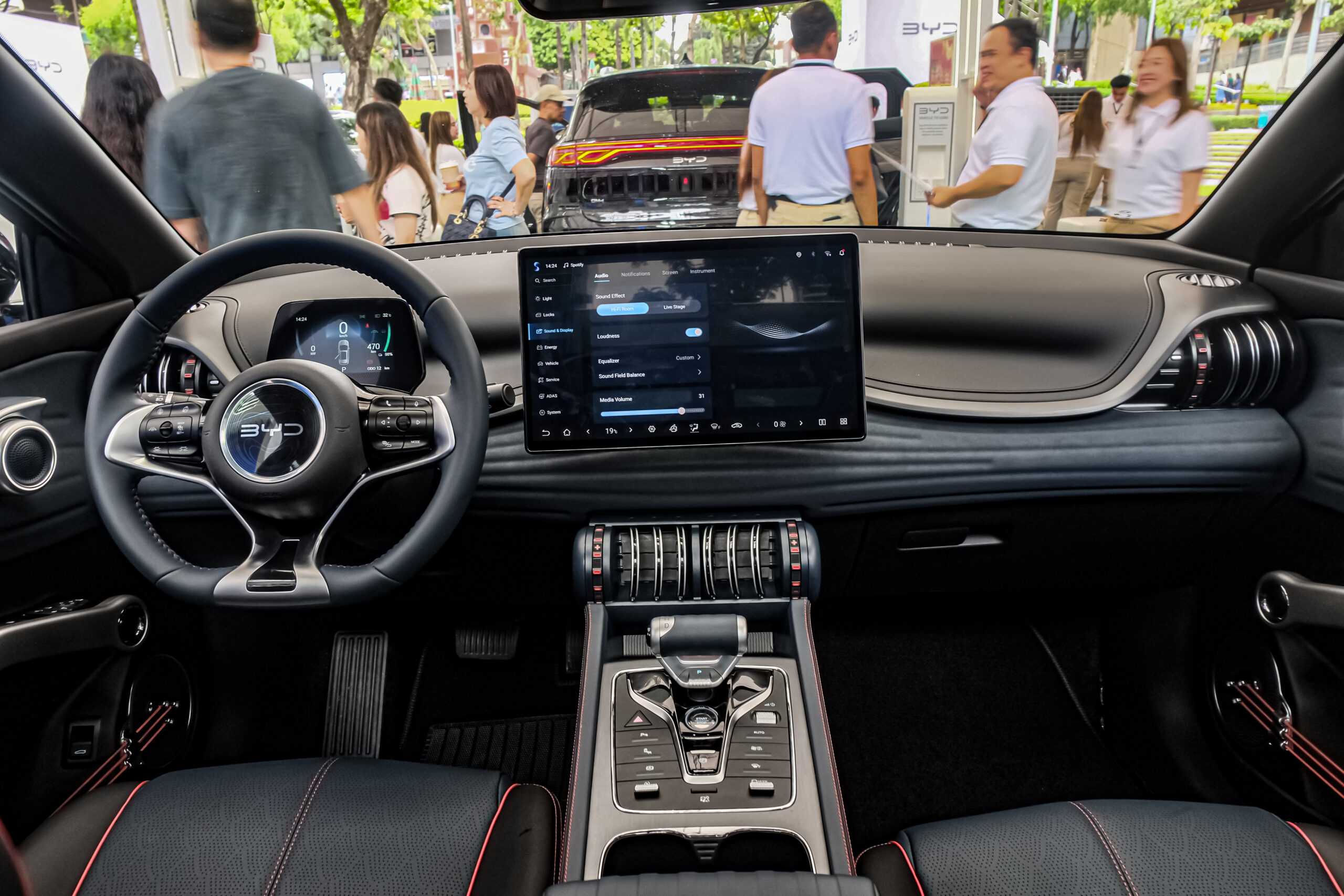
It also does not treat a photo of a BYD interior as technical evidence. The image provides visual context for infotainment and connected-car software, not proof of a specific software version or update result.
That boundary matters because software problems are easy to overstate. A useful explainer should help owners ask better questions, not promise a result it cannot support.
Infotainment symptoms and the next clean check
When something looks wrong on a BYD screen, the first useful move is to name the symptom clearly. Different symptoms point to different next checks.
| Visible symptom | What it may help to check next |
|---|---|
| Screen is blank or slow to wake | Note whether the vehicle was just started, whether other displays respond, and whether the behavior repeats after a clean restart cycle. |
| Menus load partly, then pause | Record which menu or function stalls and whether the same path fails again. |
| Phone audio works but the screen view does not | Separate phone connection behavior from the vehicle screen behavior before assuming an OTA issue. |
| Update prompt appears but timing is unclear | Check the vehicle’s own update information and model-specific owner guidance. |
| Issue appears only sometimes | Track date, location, connectivity state, phone use, and whether the same sequence triggers it again. |
This is not about building a complex repair log. It is about collecting enough context so support or service staff can understand the pattern faster.
Practical BYD OTA checks before escalating
Start with the information the vehicle already gives you. If a software or update screen is available, note the displayed version, message, date, or status before changing anything.
Then separate the issue into vehicle, phone, account, and connectivity pieces. A phone pairing problem is not the same as a frozen vehicle menu. A weak connection state is not the same as an installed update. A one-time screen delay is not the same as a repeatable fault.
Useful notes include:
- The exact screen or feature involved.
- Whether the issue started before or after an update prompt.
- Whether the vehicle was parked, charging, recently started, or already in use.
- Whether phone projection, Bluetooth audio, navigation, or vehicle settings were affected.
- Whether the same behavior appears after waiting and trying again cleanly.
Keep the language simple. "The screen went blank" is less useful than "the central screen stayed blank after startup while the instrument display remained active." Specific observations help without making unsupported claims.
When to contact BYD support or service
Escalation makes sense when a symptom is repeatable, affects key controls, prevents normal use of an infotainment feature, or follows an update prompt that the owner cannot interpret.
Before contacting support or service, prepare the basics:
- Vehicle model and trim.
- Market or country where the vehicle is registered.
- Software version or update message shown by the vehicle, if visible.
- Phone model and connection method, if the issue involves phone features.
- A short timeline of when the symptom started.
- Photos or short notes of on-screen messages, if safe and practical.
Avoid asking support to confirm a theory first. A better question is: "Here is the behavior, here is when it happens, and here is the vehicle information. What official next step applies to this model?"
That framing leaves room for the answer to be a software instruction, connectivity check, owner-documentation step, or service evaluation.
What to watch next in BYD software
For BYD owners, the useful signals are not only headlines about updates. The better signals are model-specific owner materials, in-car update messages, regional support notices, and changes that appear directly in the vehicle interface.
If BYD expands or changes software features in a specific market, owners should still check whether that information applies to their exact vehicle. A feature name, app behavior, or screen design in one region may not describe another model or trim.
For shoppers, the practical lesson is simple: evaluate the screen experience as part of the car. During a test drive or handover, pay attention to menu response, phone connection behavior, update messaging, and how clearly the vehicle explains software status.
Read more
- Software Update Issue: With setting at 80%, car charged…
- Connection problems to Nissan Connect Services and to software updates …
- Volkswagen Infotainment Not Working: Reasons And Fixes
- What Is the Kia Connected Car Navigation Cockpit?
FAQ
Do all BYD vehicles get the same OTA updates?
No. BYD software OTA behavior can vary by model, market, trim, software environment, connectivity, and rollout timing. Use your vehicle’s own update information and local owner guidance.
Does a BYD screen issue mean the latest update caused it?
Not by itself. Timing can be useful context, but it does not prove cause. Record the symptom, when it appears, and whether it repeats.
What should I check before contacting BYD support?
Note the model, trim, market, visible software message, affected feature, phone connection method if relevant, and a short timeline of the issue.
Can an OTA update fix every infotainment bug?
No public article should promise that. Software updates can be part of the support path, but the right step depends on the vehicle, symptom, and official guidance.
Is the featured image proof of a specific BYD software version?
No. The image is visual context for BYD infotainment and connected-car software. It is not evidence of a specific OTA package, bug, or fix.