
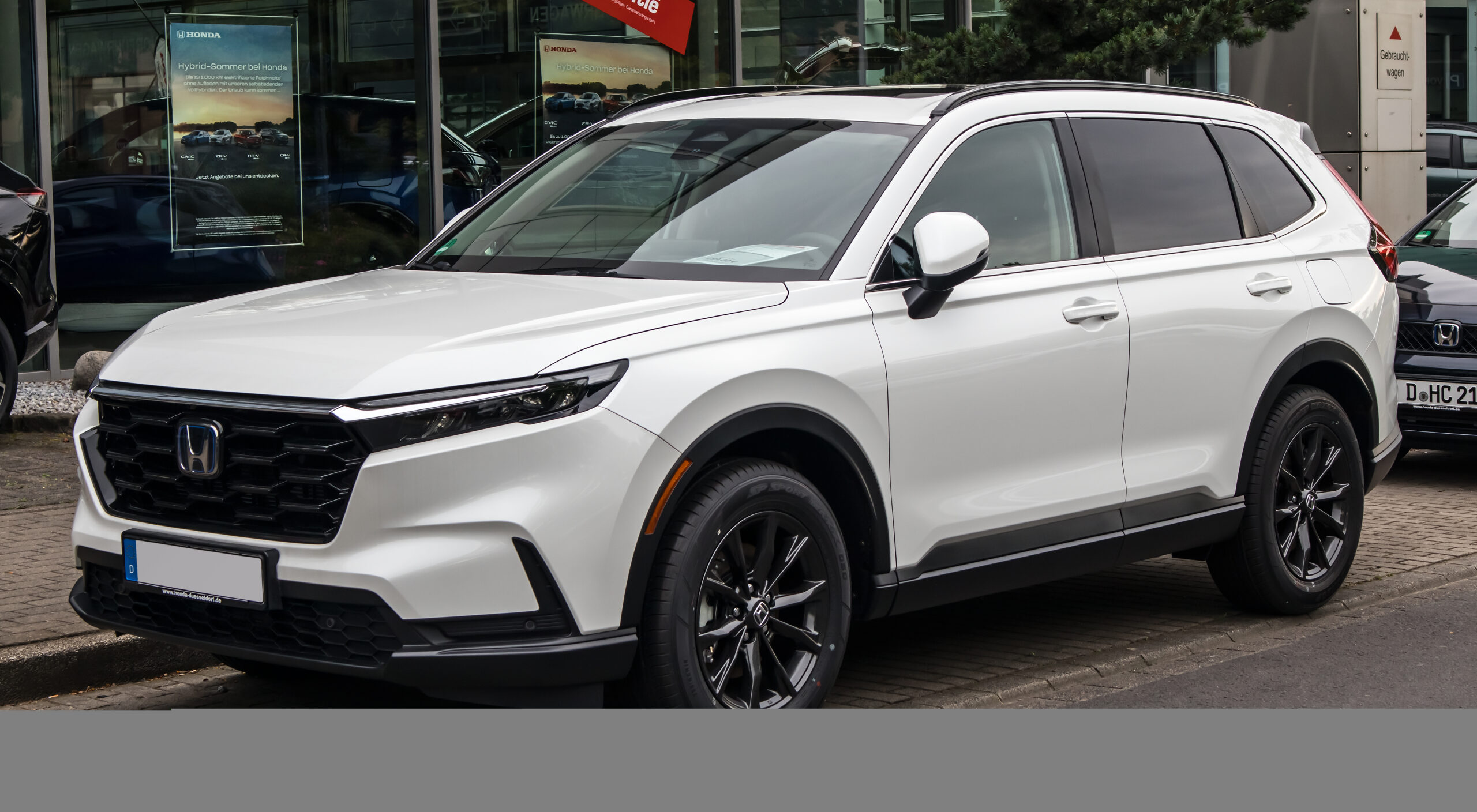
The 2026 Honda CR-V Hybrid is not interesting only because it saves fuel.
Its bigger story is how Honda packages hybrid drive, cabin software and driver assistance into a familiar compact SUV.
That matters if you want technology that feels useful every day, not just impressive on a spec sheet.
The key is knowing which features are standard, which depend on trim, and which should not be mistaken for automation.
Honda positions the CR-V Hybrid as the electrified side of its compact SUV lineup, with a 204-horsepower hybrid powertrain listed on hybrid trims in Honda’s official CR-V materials. The result is a vehicle that should be judged as much by its control logic, screen setup and driver-assistance behavior as by its cargo space or exterior styling.
For shoppers, the useful question is not whether the CR-V Hybrid is "high tech" in a vague sense. It is whether its technology reduces daily friction: fewer charging concerns than a plug-in vehicle, simpler phone integration, clearer safety alerts and enough cabin controls to avoid making every task feel screen-dependent.
The Hybrid System Changes The Driving Feel First
The CR-V Hybrid uses Honda’s hybrid approach to blend gasoline-engine operation with electric-motor assistance. Honda’s CR-V specifications list a 204-horsepower hybrid powertrain, while Honda’s electrification information explains the broader two-motor hybrid idea and the fact that Honda hybrids do not require plug-in charging.
That last point matters in daily use. A conventional hybrid does not ask the driver to plan home charging, public charging stops or battery-route strategy. You drive it like a gasoline SUV, while the hybrid system manages energy use in the background.
This makes the CR-V Hybrid different from an EV or plug-in hybrid in the way buyers should evaluate it. The main technology benefit is not access to charging infrastructure. It is smoother energy management during normal commuting, errands and highway driving without changing the owner’s fueling routine.
Honda CR-V specs and features: https://automobiles.honda.com/cr-v/specs-features-trim-comparison
Honda vehicle electrification: https://automobiles.honda.com/vehicle-electrification
Why The 2026 CR-V Hybrid Matters As A Tech Product
Compact SUVs are often compared by size, price and fuel economy, but the technology layer now shapes daily satisfaction just as much. The CR-V Hybrid sits in a category where buyers may also be comparing infotainment response, phone projection, driver-assist behavior and how many features are tied to a specific trim.
Honda’s approach is fairly conservative. The CR-V Hybrid does not need to feel like a rolling gadget to be useful. Its strongest technology argument is integration: hybrid drive that does not require a charging habit, familiar phone features, a central touchscreen and Honda Sensing driver-assist systems.
The practical upside is that the learning curve should be modest for drivers moving from a recent gasoline vehicle. The tradeoff is that shoppers still need to read the trim details carefully, because connected services, Google built-in and AWD availability are not the same thing as universal standard equipment.
Honda CR-V overview: https://automobiles.honda.com/cr-v
Cabin Technology Is About Reducing Friction
The cabin technology story starts with the features drivers touch most often. Honda lists a 9-inch color touchscreen and wireless Apple CarPlay and Android Auto compatibility in its CR-V materials. Those features matter because phone integration remains the center of navigation, calls, messages, podcasts and music for many drivers.
Wireless phone projection can make short trips easier. The driver can leave the phone in a pocket or bag and still bring familiar apps onto the vehicle screen. That convenience is most valuable when the system connects consistently and when core climate, volume and driving controls remain easy to reach.
The CR-V Hybrid’s cabin should be judged by that balance. A larger screen is useful, but not if routine actions become distracting. A good compact SUV interface should make common tasks quick, keep the driver’s attention forward and avoid turning every adjustment into a menu hunt.
Screens, Controls And Software Depend On Configuration
Honda’s official CR-V materials list available Google built-in and HondaLink-related services, but the important word is available. These software and connected-service features depend on trim, equipment and service terms.
Google built-in can be valuable when equipped because it brings Google Maps, Google Assistant and Google Play into the vehicle environment. For drivers who already rely on Google services, that can reduce the need to move between phone and vehicle interfaces.
HondaLink can also add connected-service convenience where supported. The safer way to think about it is as a trim- and service-dependent layer, not a blanket feature across every CR-V Hybrid configuration. Before buying, shoppers should compare the exact trim page and service details rather than assuming every software feature is included.
Honda Google built-in: https://automobiles.honda.com/google-built-in
Honda Sensing Is Driver Assistance, Not Automation
Honda Sensing is the central safety-tech package in the CR-V story. Honda describes it as a suite of safety and driver-assistive technologies that can alert the driver and provide steering or braking assistance in certain situations.
That distinction matters. Driver assistance is not self-driving. The driver remains responsible for watching the road, steering, braking and responding to conditions. Systems such as adaptive cruise, lane-related assistance and collision-mitigation features can support the driver, but they do not replace attention.
For everyday use, the value of Honda Sensing is less about dramatic intervention and more about consistency. Good driver-assist technology should make long drives less tiring, help with routine lane and speed awareness, and provide alerts without encouraging overconfidence.
The best test is a realistic one. During a test drive, pay attention to how the alerts sound, how steering assistance feels, how smoothly adaptive cruise responds and whether the system behavior is easy to understand. Comfort with the interface matters almost as much as the feature list.
Honda Sensing: https://automobiles.honda.com/sensing
AWD And Daily Use Are Configuration Questions
Real Time AWD appears in Honda’s CR-V materials as an available feature, and some hybrid configurations may include AWD depending on trim. That makes AWD a configuration question rather than a single yes-or-no answer for the whole CR-V Hybrid nameplate.
For buyers, the practical decision is simple. If winter weather, steep roads, unpaved driveways or frequent rain matter in your region, compare the exact trim and drivetrain before focusing on color or accessories. If your driving is mostly urban and mild-weather, the screen, safety and phone-integration experience may matter more day to day.
This is also where the hybrid system should be evaluated honestly. The CR-V Hybrid may reduce fuel use compared with a similar non-hybrid pattern for many drivers, but real-world results depend on route, speed, weather, tires and driving style. The better claim is that the hybrid system changes how the SUV manages energy, not that it guarantees a specific outcome for every owner.
What To Compare Before Choosing A Trim
Start with the hybrid powertrain, then compare the technology features that change the ownership experience. For many shoppers, the most important differences will be AWD availability, Google built-in availability, connected-service access and the exact driver-assistance features listed for the trim.
Then compare the CR-V Hybrid against rivals through the same lens. A competitor may offer a different screen layout, a more aggressive driver-assist feel, different phone integration or a stronger app ecosystem. A comparison test from a reliable outlet such as Car and Driver can help with market context, but official manufacturer pages should remain the source for trim-specific equipment.
Car and Driver hybrid compact SUV comparison: https://www.caranddriver.com/reviews/comparison-test/a69121007/2026-hybrid-compact-suv-comparison-test/
The useful buying move is to build a short personal checklist before a test drive: phone pairing, navigation preference, driver-assist comfort, AWD need, connected-service expectations and how often you carry passengers or cargo. That keeps the decision tied to daily use instead of isolated spec-sheet wins.
Related Articles
If you are comparing Honda technology across different vehicle types, read TechNubo’s look at the Honda Prologue EV and its Google built-in and charging tech: https://technubo.com/honda-prologue-ev-gm-platform-google-built-in-charging-tech/
For another Honda-focused technology profile, see the Honda Gold Wing infotainment, DCT and touring features guide: https://technubo.com/honda-gold-wing-tech-infotainment-dct-touring/
If your next comparison is about screens and cabin interfaces, this Ford Explorer vs Expedition infotainment guide gives a useful SUV-focused framework: https://technubo.com/ford-explorer-expedition-infotainment-screens/
Bottom Line
The 2026 Honda CR-V Hybrid is best understood as a practical technology package, not a futuristic showcase. Its hybrid system reduces the need to think about charging, its cabin tech supports familiar phone workflows, and Honda Sensing adds driver assistance without changing the driver’s responsibility.
The strongest version for you depends on configuration. Before choosing, compare the exact trim for AWD, Google built-in, HondaLink services, screen features and driver-assistance details. That is where the real technology difference shows up.
FAQ
Does the 2026 Honda CR-V Hybrid need to be plugged in?
No. Honda’s hybrid materials describe its hybrids as vehicles that do not require plug-in charging. The CR-V Hybrid is used like a conventional gasoline vehicle while the hybrid system manages electric assistance.
Is Honda Sensing the same as self-driving?
No. Honda Sensing is driver assistance. It can provide alerts and certain steering or braking support, but the driver remains responsible for control and attention.
Does every 2026 CR-V Hybrid have Google built-in?
No. Honda lists Google built-in as an available feature, with availability tied to supported configurations. Check the exact trim before assuming it is included.
Is AWD standard on every CR-V Hybrid?
No. Honda presents Real Time AWD as available, and drivetrain availability depends on trim and configuration. Buyers should verify the exact model they are considering.
What should I test first during a CR-V Hybrid test drive?
Pair your phone, try navigation, check the touchscreen and physical controls, sample the driver-assist alerts, and confirm whether the trim includes the connected features you expect.