
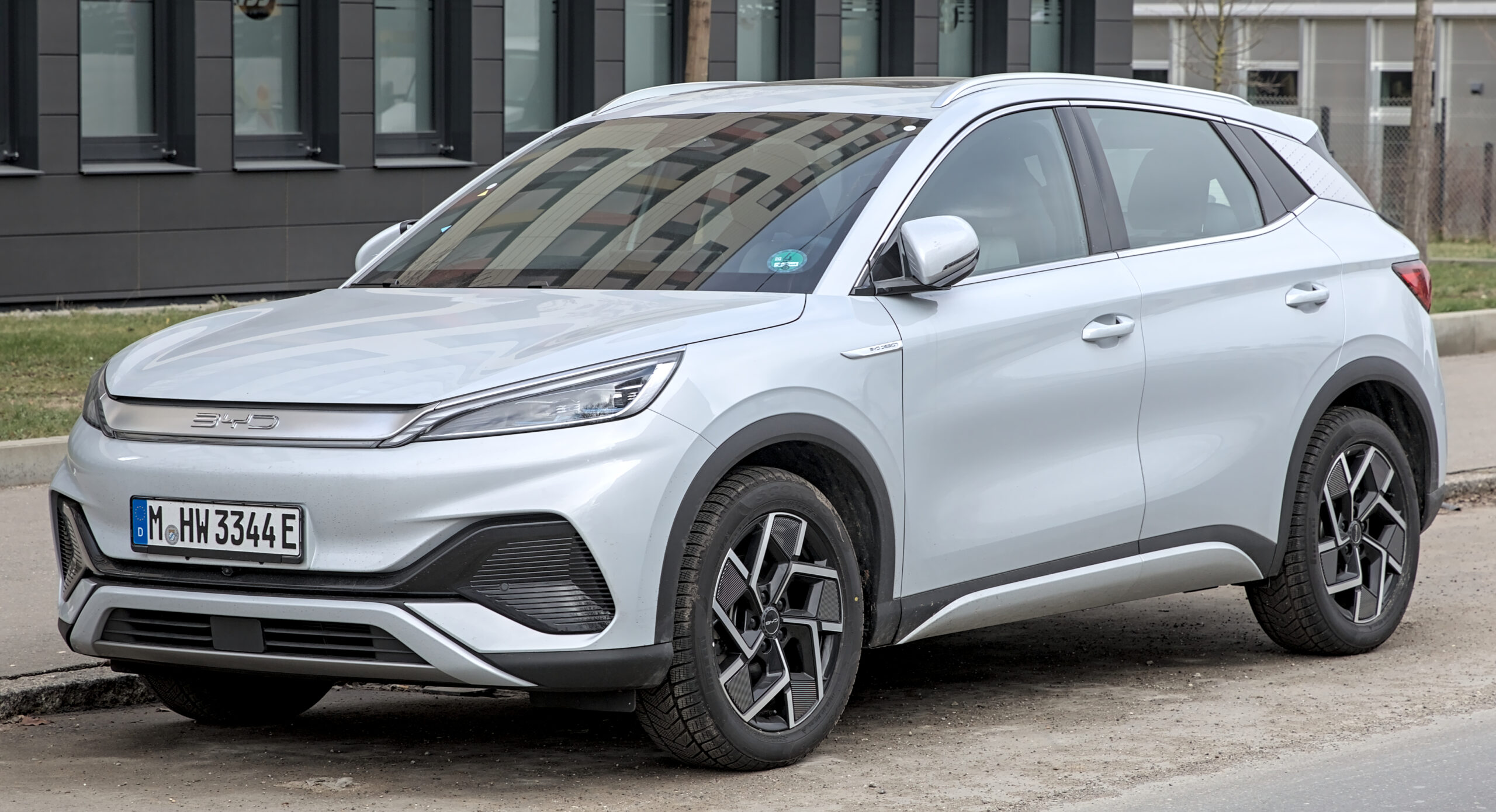
Common problems with Chinese EVs are not always the dramatic problems buyers imagine.
In 2026, many questions are really about software, apps, updates, displays and service process.
That matters because an electric car now behaves more like a connected device on wheels.
This guide shows what to check before buying, during a test drive, or after taking ownership.
What Common Problems With Chinese EVs Should You Actually Check?
The useful question is not whether every Chinese EV is good or bad. The better question is whether the car, app, software and local support process fit your daily use.
Chinese EVs often compete strongly on screens, driver-assistance features, battery value, charging equipment and cabin technology. That can be attractive, but it also means the ownership experience depends on more than motors and battery size.
A careful buyer should look at the full technology loop: infotainment behavior, phone pairing, connected-car app access, over-the-air updates, range display behavior, charging settings, driver-assistance prompts, account transfer and service documentation.
J.D. Power’s 2026 China New Energy Vehicle Initial Quality Study gives useful owner-quality context for new energy vehicles in China. It should be read as market context, not as proof that every Chinese EV in every country has the same issues.
The Fast Answer
The most practical way to evaluate common problems with Chinese EVs is to test the digital ownership experience before making assumptions about the whole car.
Start with these areas:
- Does the infotainment system respond consistently after startup?
- Does the phone connect cleanly by Bluetooth, CarPlay, Android Auto or the brand app?
- Can you see the software version and update status?
- Do charging limits and range displays behave in a way you understand?
- Do driver-assistance alerts feel clear during normal legal driving?
- Can the seller explain app account transfer, warranty wording and service support?
- Does the local dealer or service channel know how software diagnostics are handled?
None of those checks proves that a car is perfect. They help you separate a useful test drive from a vague sales pitch.
Why Software Matters So Much In Chinese EV Ownership
Many Chinese EVs are sold around a technology-first promise: large screens, voice controls, connected services, frequent updates and advanced driver-assistance features. That can make the car feel modern from day one.
The tradeoff is that small software frustrations can affect everyday ownership. A slow screen, unclear update note, inconsistent app session or confusing range display may not stop the car from driving, but it can still shape how much owners trust the vehicle.
TechRadar’s Zeekr X review is a useful example of this tension. The review describes a premium-feeling EV experience while also pointing to smaller usability issues that affected the experience.
Wired’s BYD Atto 3 review and Wired’s Ora Funky Cat review also show why model-specific reviews matter. Different cars can have different strengths, interface choices and ownership compromises. A category label is not a substitute for checking the specific vehicle in front of you.
How OTA Updates And Range Displays Can Become Owner Concerns
Over-the-air updates are a major part of the modern EV experience. They can improve software, adjust behavior, change interface details or modify how information is displayed.
That is useful when updates are clear and well documented. It becomes frustrating when owners do not understand what changed, why it changed, or whether the car is behaving normally afterward.
CarNewsChina reported in May 2026 that Chinese authorities were investigating owner concerns about EV over-the-air updates and displayed range changes. That report is a dated example of why update transparency and range-display trust matter to owners.
For a shopper, the takeaway is simple: ask how updates are delivered, how update notes are shown, and whether the service team can explain changes after an update. During ownership, save update notices and take photos of unusual messages before contacting support.
Infotainment Checks Before You Buy
The infotainment system is where many ownership frustrations first appear. It controls navigation, media, vehicle settings, phone projection, charging preferences and sometimes driver-assistance menus.
During a test drive, do not only check whether the screen looks sharp in a showroom. Use it like an owner would.
Try these practical checks:
- Start the car and watch how quickly the main screen becomes usable.
- Pair your phone, then disconnect and reconnect it once.
- Open navigation, audio, climate and charging settings.
- Check whether key controls are easy to find without digging through too many menus.
- Ask where software version and update history appear.
- Try the same action twice and see whether the system behaves consistently.
If a screen is slow once, that is a note. If it is confusing every time, that is a real ownership consideration.
For a deeper look at this kind of vehicle-software issue, TechNubo has covered BYD software, OTA updates, infotainment bugs and updates.
Connected-Car Apps And Account Transfer
A connected EV is often tied to a phone app. The app may show charging status, remote controls, location features, lock status or account permissions.
That makes app access part of the car’s ownership record. For a new car, the process is usually guided by the seller or dealer. For a used EV, it deserves extra attention.
Before buying a used Chinese EV, ask the seller to show that the previous account can be removed and that a new owner can activate the app. If the car still appears in someone else’s account, treat that as an account-control problem to resolve before relying on remote features.
The same thinking applies to permissions. Review what the app asks for, what features need those permissions, and whether you are comfortable with that access. TechNubo’s guide to reviewing app permissions on iPhone and Android is a useful next step for this part of the process.
Driver Assistance Needs A Real-World Check
Driver-assistance features can be helpful, but they should be judged by how clearly they communicate with the driver.
During a normal legal test drive, pay attention to prompts, warnings, lane-centering behavior, adaptive cruise behavior and how easy it is to understand whether a feature is active. Do not test edge cases or try to force a system into difficult situations.
The right question is not whether the marketing name sounds advanced. The right question is whether the system’s behavior is clear enough for you to supervise comfortably.
If you want more background before evaluating those features, read TechNubo’s guides to driver assistance features and advanced driver-assistance features.
Charging Settings, Range Estimates And Daily Use
Range estimates can change with driving style, temperature, route, speed, battery state and recent use. That is normal for EVs, but the display still needs to make sense to the owner.
When checking a Chinese EV, look for the charging limit menu, scheduled charging options, battery preconditioning information if available, and the way the car explains estimated range. A good ownership experience is not only a large number on the screen. It is knowing what the number means and how the car reached it.
For home charging, also check whether the app and car agree about charge status. If the car says one thing and the app says another, note the timing and ask whether the display refreshes on a delay.
TechNubo’s guide to a software update issue with an 80 percent charge setting is a useful related example of how charging settings and software behavior can become a practical owner question.
Service Readiness Is Part Of The Technology Check
Service support is not only about parts and labor. With connected EVs, support also includes diagnostics, software versions, app account access, update records and the ability to explain what the car is reporting.
Before buying, ask who handles software-related service questions. Is it the dealer, a regional service center, a remote support team, or a combination of those channels? Ask how diagnostic reports are created and whether update history is visible to the owner.
If you already own the car, keep a simple record when something feels wrong:
- Date and approximate time.
- Battery level and charging state.
- Software version if visible.
- Phone model and app version when an app is involved.
- A photo of the warning, message or unusual display.
- A short note describing what happened before and after the issue.
This record does not guarantee a specific service outcome. It gives support a cleaner starting point and helps you avoid retelling the same story from memory.
Common Mistakes When Evaluating Chinese EV Problems
The first mistake is treating Chinese EVs as one product. BYD, MG, Nio, Xpeng, Zeekr, Ora and other brands can use different platforms, interfaces, app systems, dealers and support channels.
The second mistake is judging only the showroom screen. A big display can look impressive and still be awkward if common settings are buried, alerts are unclear, or phone pairing feels inconsistent.
The third mistake is ignoring the account layer. App ownership, remote access, location settings and connected services matter more than many used-car shoppers expect.
The fourth mistake is assuming every update is automatically good or bad. The better habit is to read the update note, save the version information and watch whether the car behaves differently afterward.
The fifth mistake is using online complaints as a brand-wide verdict. Owner reports can help you know what to inspect, but they should not replace a careful check of the specific model, market and support channel.
Privacy, Security And Cost Context
A connected EV can collect and use account, location, driving, diagnostic and app data depending on the brand, market and feature set. The practical step is to review the car’s app permissions, account controls and privacy settings before you depend on remote features.
That does not mean every connected feature is a problem. Remote charging status, climate preconditioning and location tools can be useful. The point is to understand what the feature needs and whether you want it active.
Cost questions deserve the same calm approach. Ask what is included with the car, what may become subscription-based, what the warranty document says about software-related service, and how paid connected services are handled after ownership transfer.
Avoid verbal assumptions here. Save the plan details, account terms and warranty wording that apply to your market.
A Simple Test-Drive Flow For Chinese EV Tech
Use the test drive to create a realistic ownership snapshot, not just a first impression.
Start with the basics. Enter the car, start it, wait for the screen to load and check whether the main controls are easy to find.
Then test the phone layer. Pair your phone, check media, try navigation projection if supported, disconnect, and reconnect once.
Next, inspect the EV-specific menus. Find charging limits, range display settings, energy information and update status.
After that, watch the driver-assistance interface during normal legal driving. Note whether prompts are clear and whether feature status is easy to understand.
Finally, ask ownership questions before you leave: app transfer, software updates, service diagnostics, warranty documents and local support contact.
A car does not need to be flawless to be a good fit. It needs to be understandable enough that you know what you are buying.
Read More
- BYD 2025 Software & OTA: Infotainment, Bugs, and Updates
- Driver Assistance Features
- Advanced driver-assistance features ProPILOT
- Software Update Issue: With setting at 80%, car charged
- How to review app permissions on iPhone and Android
FAQ
Are Chinese EVs unreliable?
That is too broad to answer fairly. Reliability depends on the model, market, software version, service network and how the specific car has been used. A better approach is to inspect the exact vehicle, app, update process and local support path.
What is the most important thing to check before buying a Chinese EV?
Check the full digital ownership loop: infotainment, phone pairing, app access, update status, charging settings, driver-assistance prompts and service documentation. Those areas affect daily use long after the first test drive.
Should I worry about OTA updates in Chinese EVs?
OTA updates are a normal part of many modern EVs. The important question is whether update notes are clear, whether version history is visible and whether support can explain behavior changes after an update.
Is a used Chinese EV risky if the app still belongs to the previous owner?
It can create an account-control problem. Before relying on remote features, the previous account should be removed and the new owner should be able to activate the app properly.
Can online owner complaints help me choose a Chinese EV?
Yes, if you use them as inspection prompts. They are useful for knowing what to check, but they should not replace model-specific reviews, a careful test drive and local service questions.