
NissanConnect Services connection problems can look like a software-update issue, but that is only one possible layer.
The app may open while remote commands, vehicle status, or account features still fail to refresh.
That difference matters because repeating the same action rarely shows where the connection is breaking.
A better first move is to separate the app, account, service, vehicle communication, and software-update layers.
What Happened
Some Nissan owners search for help when NissanConnect Services or related software-update features do not behave as expected. The visible symptom may be a stale vehicle-status screen, a remote command that does not complete, a feature that appears unavailable, or confusion around whether a software update is involved.
Those symptoms do not automatically point to one cause. Nissan connected services depend on more than the phone app. Availability can involve the vehicle, account setup, compatible services, subscription status, network conditions, and the software path for that specific vehicle.
That is why a connection problem is easier to handle as a layered issue first, not as proof that an update has failed.
Why It Matters
Connected-car features are useful only when the driver can trust what the app is showing. If the app says a vehicle status is old, if a command keeps spinning, or if a service appears missing, the practical question is simple: is the issue on the phone, in the account, in the vehicle, or in the service connection?
Software updates can matter, but they are not the whole story. Nissan owner materials describe connected services, vehicle software, over-the-air update capability, service terms, account requirements, compatibility, and support boundaries.
For readers, the payoff is not a guaranteed fix. It is a cleaner way to decide what to check before contacting support or a dealer.
What Is Confirmed
Nissan provides public owner information for NissanConnect Services, vehicle software, over-the-air update capability, legal and service terms, and support.
Those materials support a cautious reading of connection problems. NissanConnect Services are tied to vehicle eligibility, service packages, account setup, app access, network conditions, and supported features. Vehicle software and OTA capability can be relevant in some contexts, but they should not be treated as the only possible cause of every connection problem.
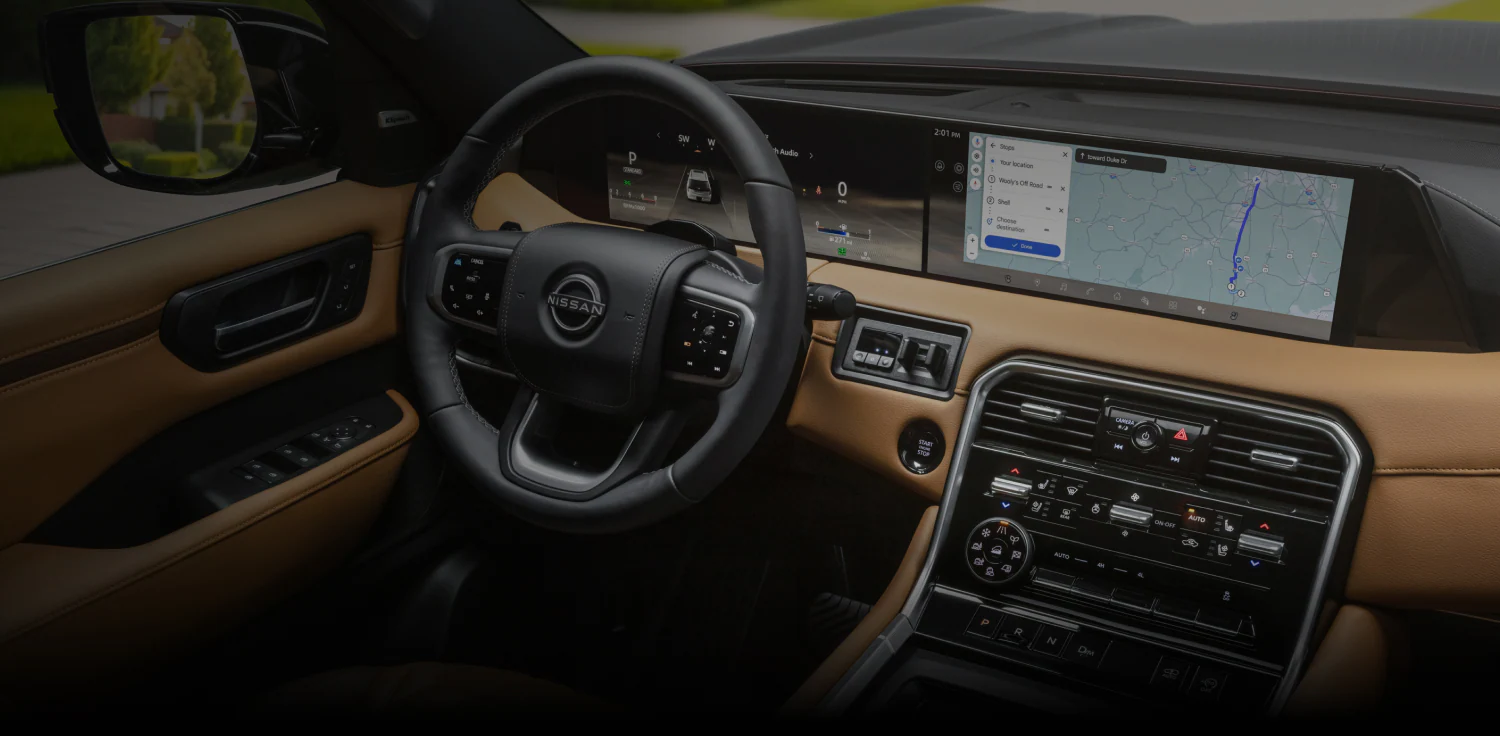
The featured image for this article is a Nissan USA manufacturer-provided public website image showing NissanConnect connected features.
What This Article Is Not Claiming
This article is not claiming that there is a current widespread Nissan outage.
It is not claiming that Nissan has acknowledged one universal NissanConnect defect.
It is not claiming that one software update fixes all connection failures.
It is not giving warranty, recall, repair-price, service-campaign, model-specific repair, or success-rate advice.
It is also not treating NissanConnect, NissanConnect Services, MyNISSAN, and NissanConnect EV & Services as interchangeable across every region, model year, or service package.
Start By Naming The Symptom
Before changing settings or chasing updates, describe the exact symptom in plain terms.
If the app opens but the vehicle status is stale, that points to a different layer than an app that will not load at all. If the account page works but a remote command fails, the account may be reachable while the command path is not completing. If the vehicle shows software information but the app does not refresh, the vehicle software screen and connected-service path may be separate clues.
A useful note has four parts: the feature affected, the screen where it happens, the time it happened, and whether the vehicle or phone showed any related message.
Check The App And Account Layer First
The lowest-friction checks usually sit outside the vehicle.
Make sure the app is signed in with the expected account, that the vehicle is associated with that account, and that the feature you are trying to use belongs to the service package for that vehicle. If the app asks for account action, enrollment, permissions, or service setup, handle that before assuming a vehicle software problem.
This does not prove the account is the cause. It simply removes one common layer from the troubleshooting path.
Separate Service Availability From Software Updates
A software update can affect a vehicle’s digital experience, but a connected-service problem can also come from service availability, account status, package eligibility, phone connectivity, or network conditions.
That distinction matters when a driver sees both a connection issue and a software-update message around the same time. The two may be related, but they may also be separate symptoms appearing in the same ownership experience.
Use the vehicle’s own software information and Nissan’s official support path for model-specific guidance. Avoid assuming that advice for one Nissan model, year, region, or service package applies to another.
Read Vehicle Communication Clues Carefully
Connected services depend on communication between the vehicle, Nissan’s service systems, and the app. If a vehicle is parked in an area with weak coverage, recently changed accounts, or has not been driven for a while, the app view may not immediately reflect what the driver expects.
That does not mean the driver should ignore the problem. It means the next useful question is more specific: does the app fail everywhere, only with one command, only after a certain parking location, or only after a recent account or software change?
Patterns are more useful than repeated retries.
When A Software Update Might Be Relevant
Software becomes a stronger angle when the vehicle itself presents a software message, when Nissan’s official vehicle software materials apply to that model, or when support directs the owner toward update-related guidance.
Even then, the public-safe conclusion is narrow: software is one layer to check, not a universal diagnosis.
If the vehicle shows software information, record the wording and where it appears. If Nissan support or owner materials describe a model-specific software path, follow that official route instead of using generic reset advice found elsewhere.
What To Prepare Before Contacting Support
If the problem continues, gather the details that make support easier to handle.
Write down the vehicle model and year, the service or feature that is failing, the app screen involved, the approximate time of the issue, and any message shown by the app or vehicle. Note whether the issue affects every feature or only one function, such as remote commands or vehicle-status refresh.
Also note recent changes: a new phone, app update, account change, subscription change, vehicle software message, or repeated failure in one location. These details help separate account, app, service, vehicle, and network layers without making unsupported assumptions.
What To Watch Next
Watch for official Nissan support guidance, owner-account notices, app updates, and model-specific software information. Those signals are more useful than assuming every NissanConnect Services connection problem has the same cause.
If Nissan publishes guidance for a specific vehicle, service package, or software path, treat that as stronger than generic advice from unrelated models or regions.
For most owners, the practical goal is simple: narrow the issue enough that the next support conversation starts with evidence instead of guesswork.
Related articles
- Is Nissan Connect Worth It in 2026? Honest Review Guide
- Software Update Issue: With setting at 80%, car charged…
- Ford Connected Vehicle Features Not Working
- Volkswagen Infotainment Not Working: Reasons And Fixes
FAQ
Why is NissanConnect Services not updating my vehicle status?
A stale status can come from several layers, including app access, account setup, service eligibility, vehicle communication, network conditions, or vehicle-side software context. Start by noting the exact screen, time, feature, and any message shown.
Does a NissanConnect connection problem always mean a software update failed?
No. A software update may be relevant in some cases, but connection problems can also involve account, service, app, vehicle communication, or network conditions.
Should I keep retrying remote commands in the app?
Repeated retries may not reveal the cause. It is more useful to record whether the issue affects one command, every command, vehicle-status refresh, or the entire app session.
When should I contact Nissan support or a dealer?
Contact support or a dealer when the issue persists after basic account, service, app, and symptom checks. Bring the vehicle model and year, affected feature, app screen, time of failure, and any vehicle or app message.
Are NissanConnect, MyNISSAN, and NissanConnect EV & Services the same thing?
They should not be treated as interchangeable across every region, model year, or service package. Use the official owner and support path that matches the specific vehicle and service involved.